Run the field · Field operations
Mounting and monitoring tasks with proof photos
Operation Tasks are the Mounting and Monitor jobs for each booked site, assigned to staff or a vendor and completed from the mobile app with at least two photos. Team Tasks is the office to-do board, with an end-of-day report for every person.
Opp. Gymkhana, Kalwa Facing Kalyan West
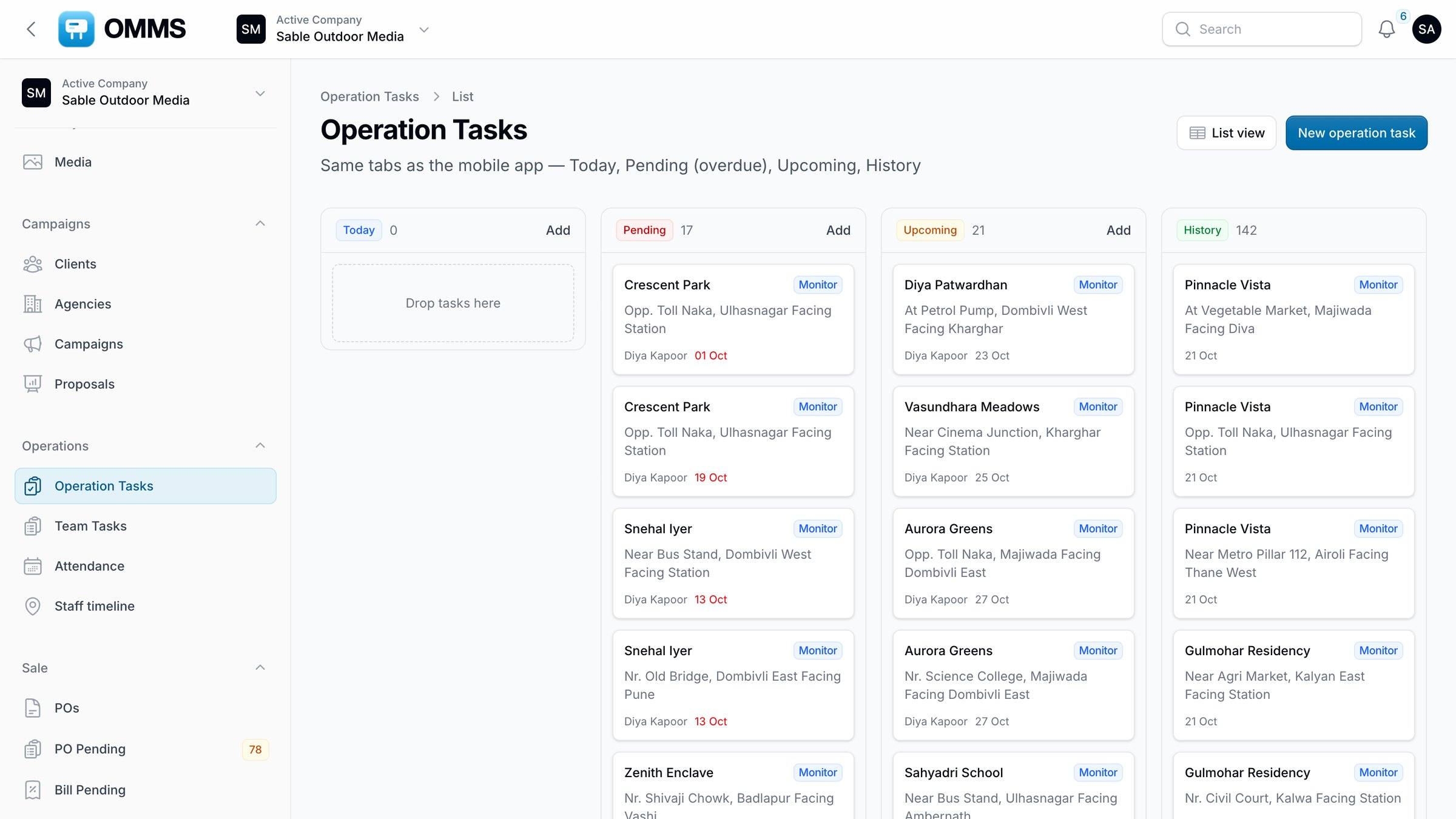
Operation Tasks board.
Capabilities
What can you do with field operations in OMMS?
Board or list
Operation Tasks by Today, Pending, Upcoming and History.
Per-site tasks
Mounting and Monitor tasks, assigned to staff or a vendor.
Automatic Monitor visits
Created when a campaign is saved — on its start and end dates and any extra monitor days; a daily job fills gaps.
Proof from the field
At least two photos per task, each stamped with GPS coordinates; mock locations are flagged.
Team Tasks
To do, In progress and Done, with priority, due date and assignee.
End-of-day report
Copy, share or download as PDF; pending items need a reason.
Step by step
How does it work?
- 1
Saving a campaign creates its Monitor visits; mounting is assigned to a crew or vendor.
- 2
Crews see their tasks in the app and upload proof at the site.
- 3
The office follows progress on the board: Today, Pending, Upcoming and History.
- 4
The office tracks its own work on Team Tasks.
More screens
See it in OMMS
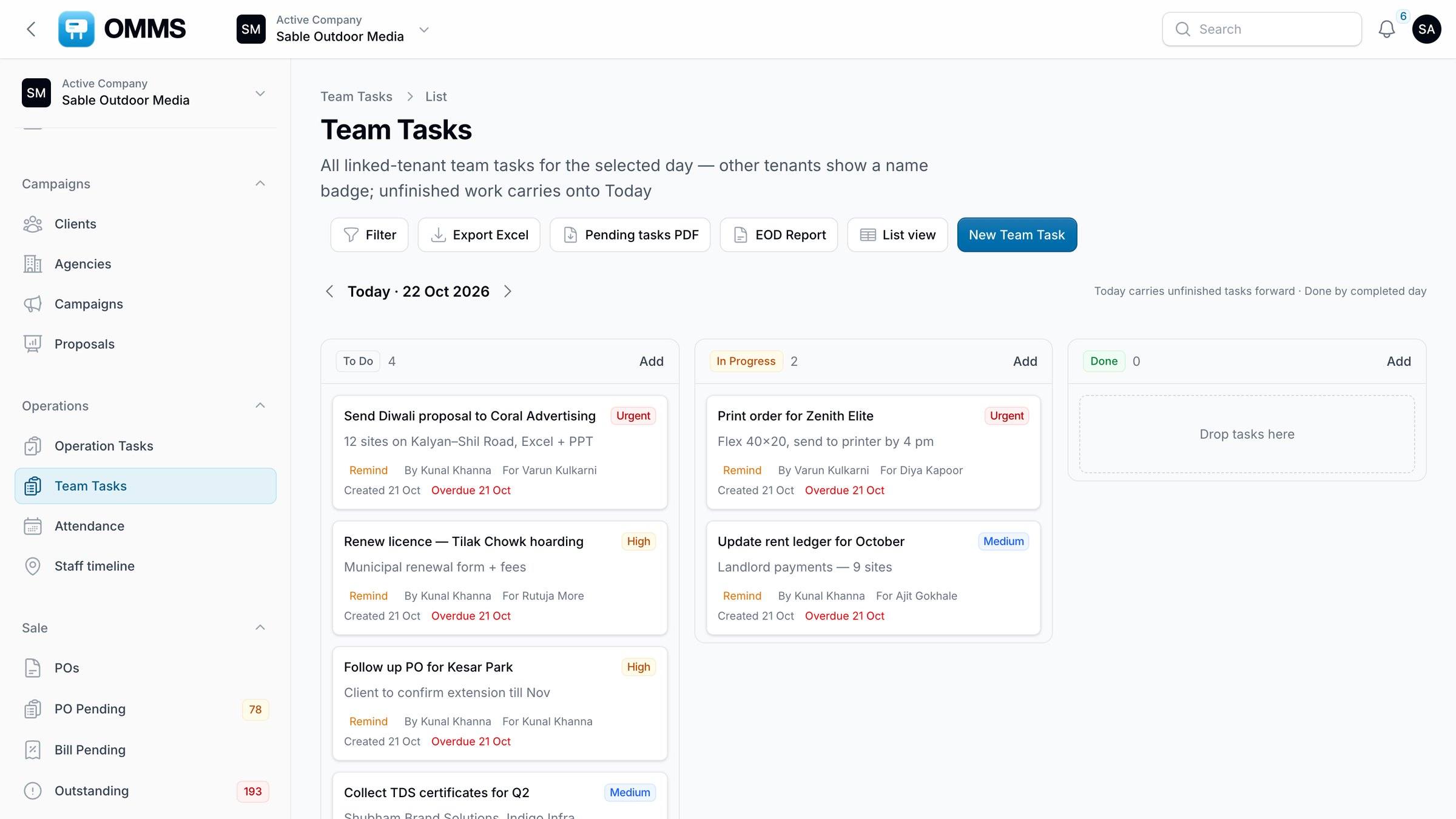
FAQ
Questions about field operations
How do mounting crews send proof of posting?
Crews open the task in the OMMS mobile app at the site and upload at least two photos or short videos. Each photo is stamped with the GPS coordinates, mock-location apps are flagged, and the task cannot be completed without a location.
Are Monitor visits created automatically?
Yes. Saving a campaign creates Monitor visits for its start and end dates and for any extra monitor days you set. A daily job fills in any that are missing, so crews always have the next visit in their list.
Works with
Guides on this topic
- Billboard and hoarding management software in India: an honest comparison (2026)Edge1, Adarth, Moving Walls, MMX, Mediaware, Efox OOH, Excel with Tally and OMMS compared on GST billing, field proof, landlord rent, DOOH and pricing.
- Proof of posting for hoardings, done properlyWhat advertisers expect as proof that a hoarding ad went up and stayed up, and how to collect mounting photos without losing them in chats.
- What is outdoor media management software?What billboard and hoarding (outdoor media) management software does, who needs it, and what to check before choosing one — inventory to GST billing.
See a booking go from free site to payment
A walkthrough on demo data: one site from proposal to collection, the field app, and the reports your accountant will ask for.