Field app · Android
The mobile app for mounting and monitoring crews
Field staff open the OMMS app to see today’s sites, upload GPS-stamped proof at each one, check in for attendance and see their salary. Managers use the same app to see who is live and the route each person took.
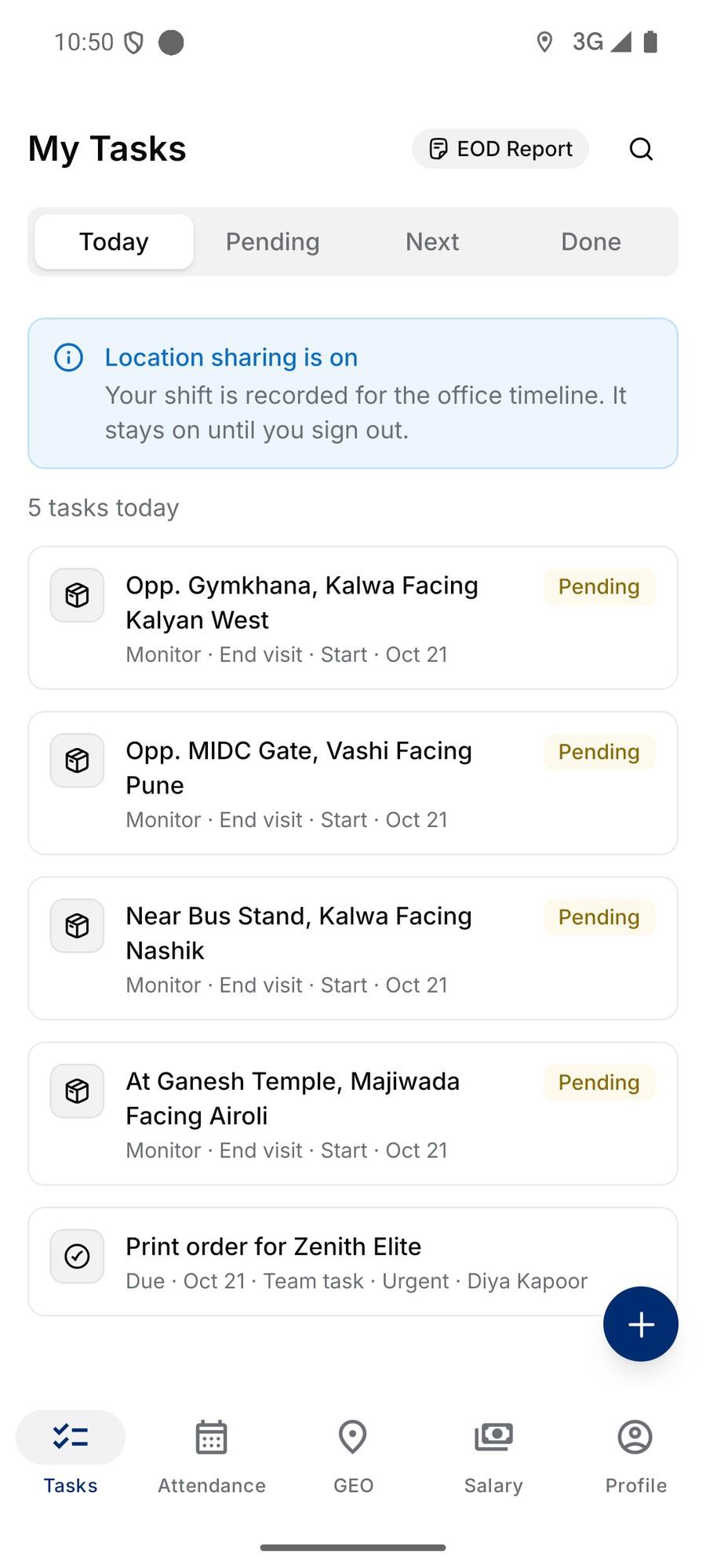
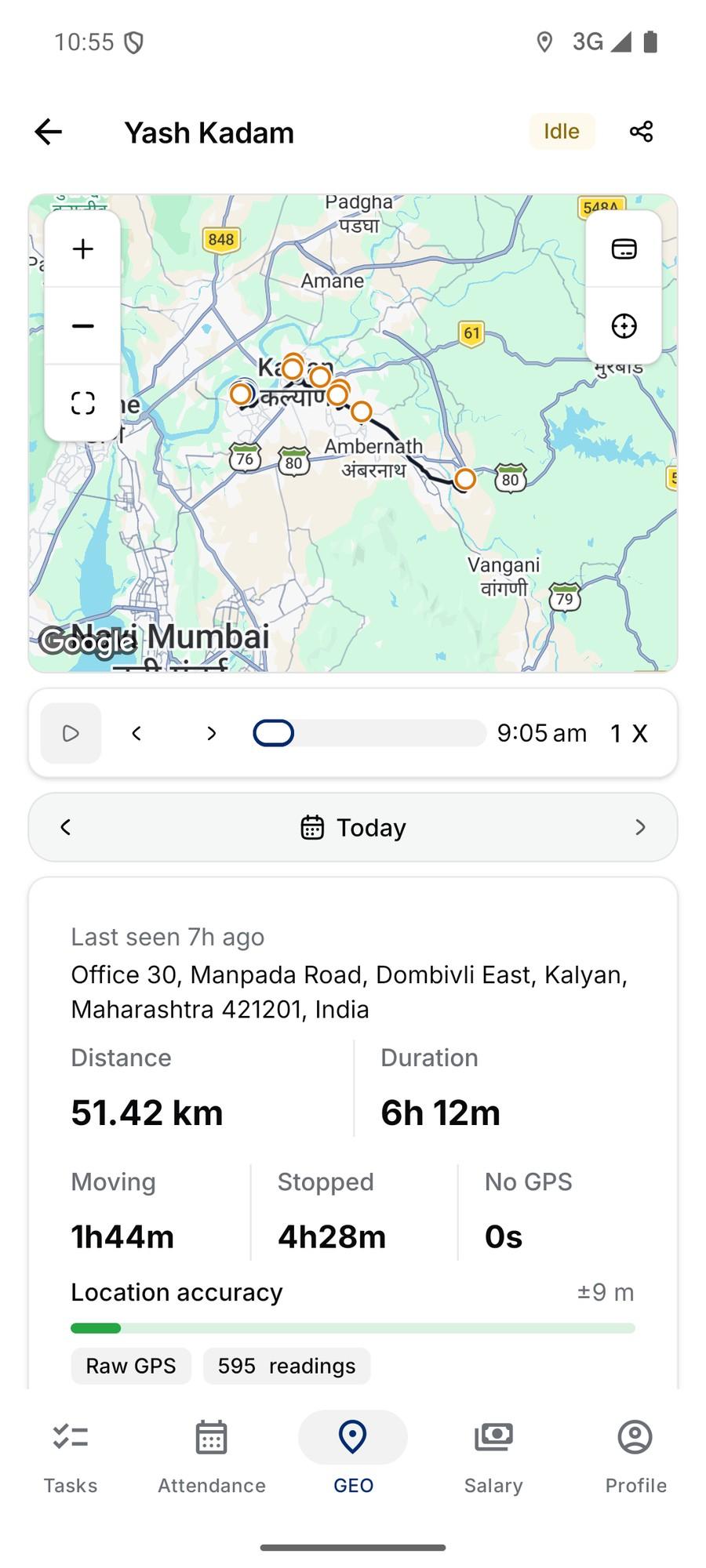
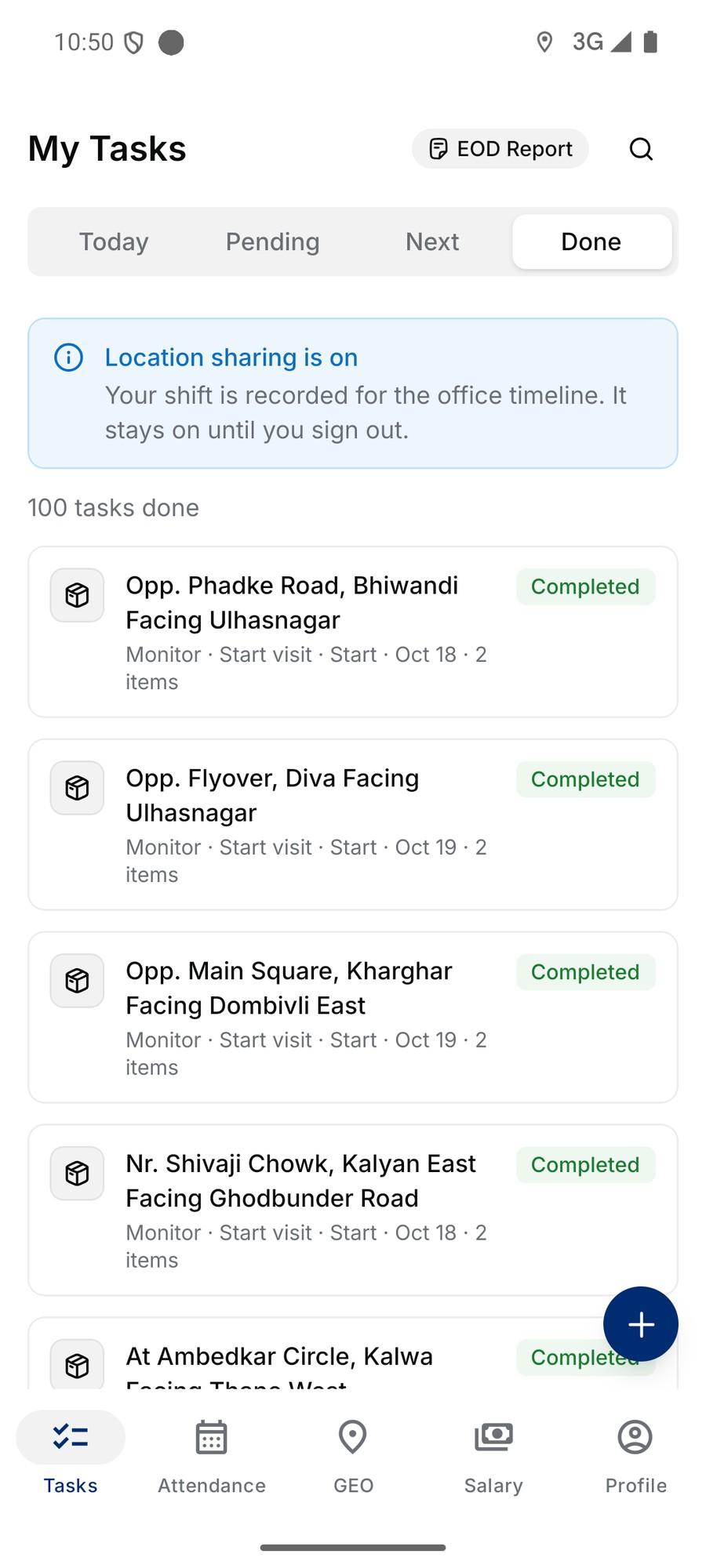
Today’s sites, and proof from each one
- Today, Pending, Next, Done
- Every mounting and monitoring visit and every team task assigned to the person.
- Proof on site
- At least two photos or short videos inside the task, each stamped with GPS coordinates.
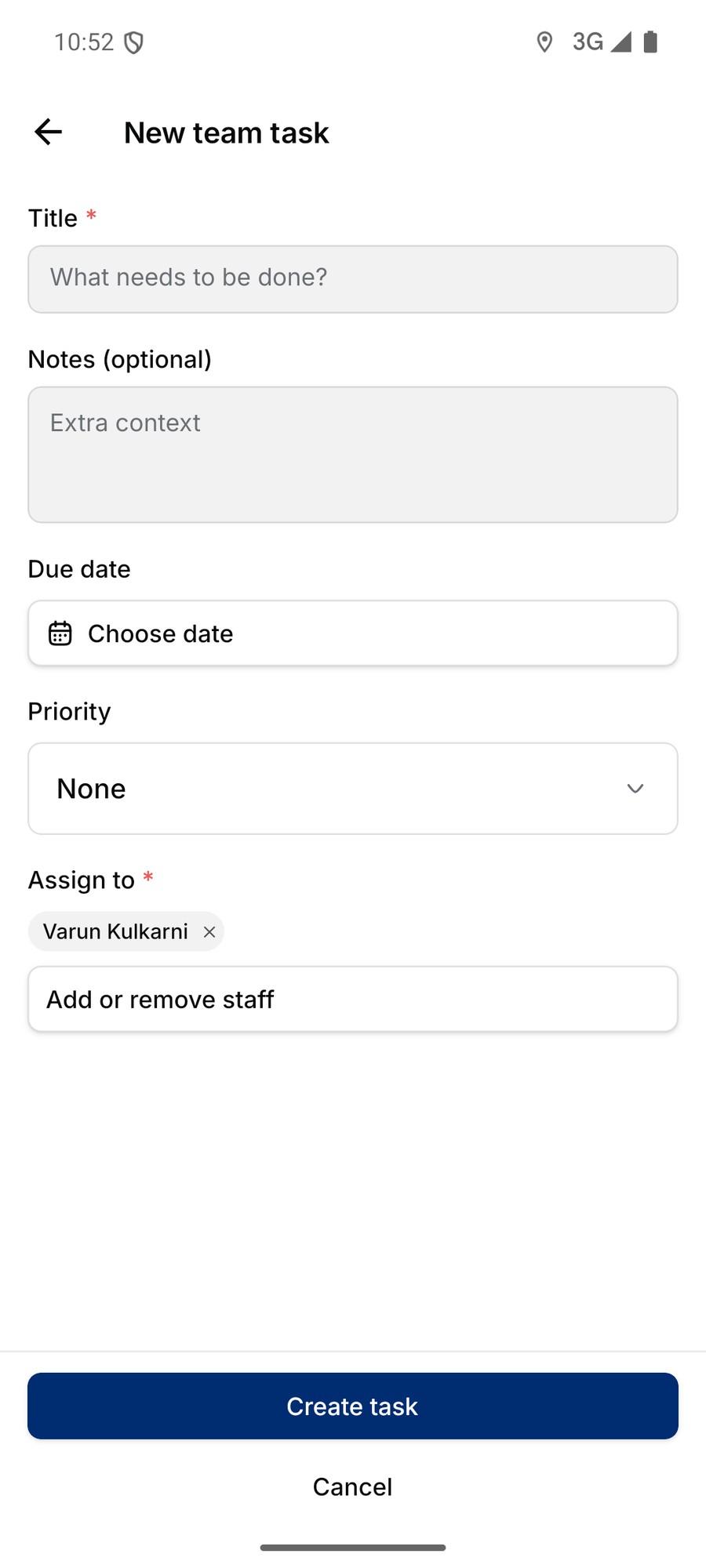
- Team tasks
- Create a task, set priority and due date, and assign colleagues from the phone.
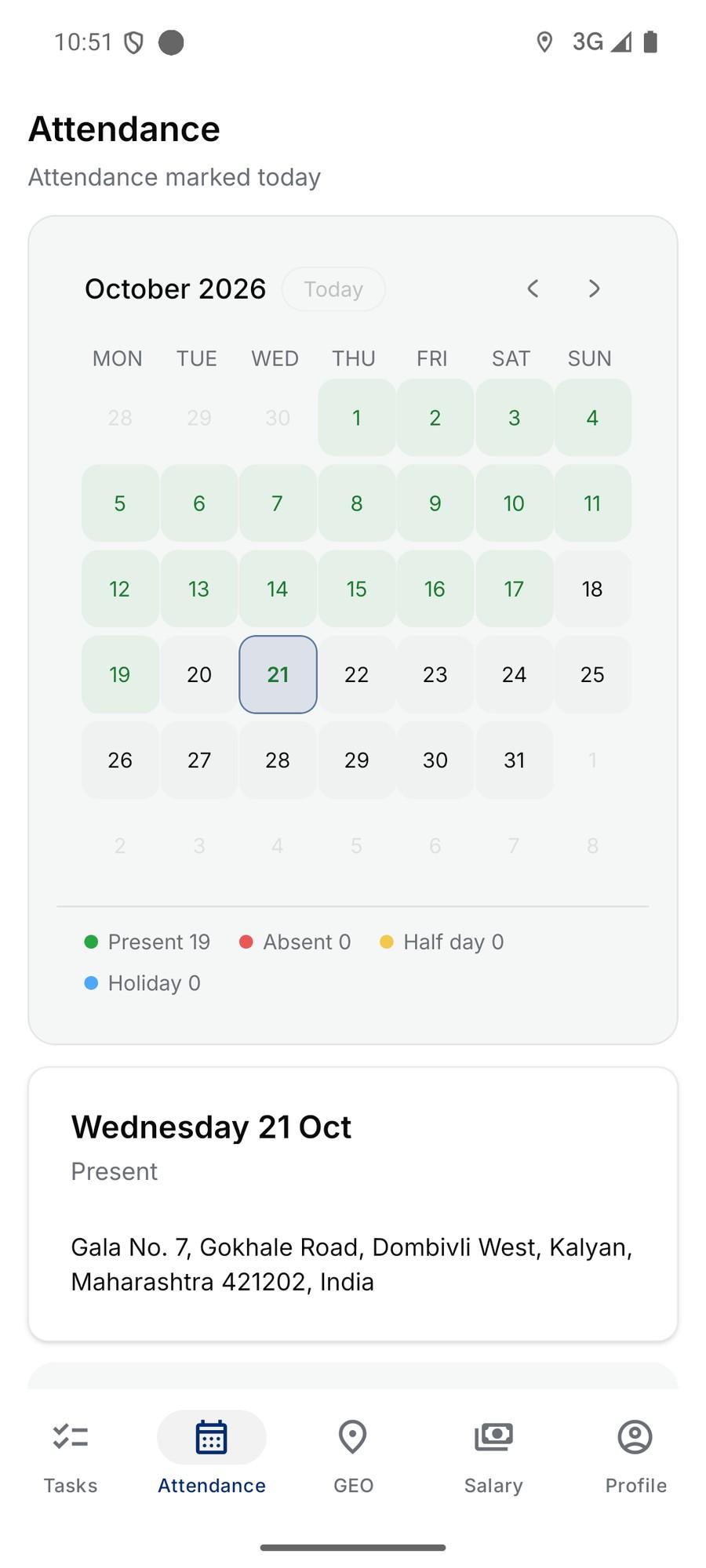
Attendance, salary and the end-of-day report
- Check in with GPS
- Present, half day, holiday, or absent with a reason; the address is saved.
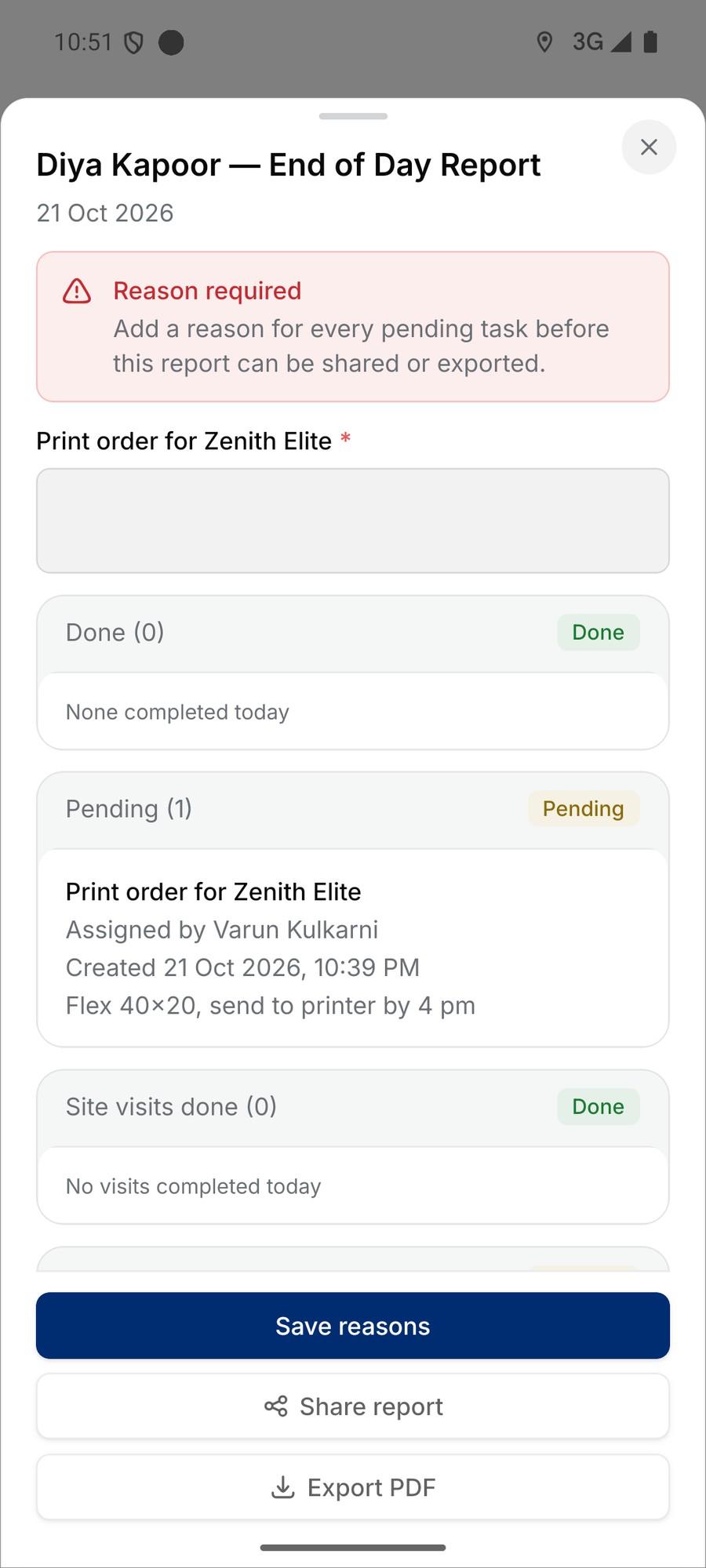
- End-of-day report
- Done and pending work for the day; pending items need a reason before it is shared.
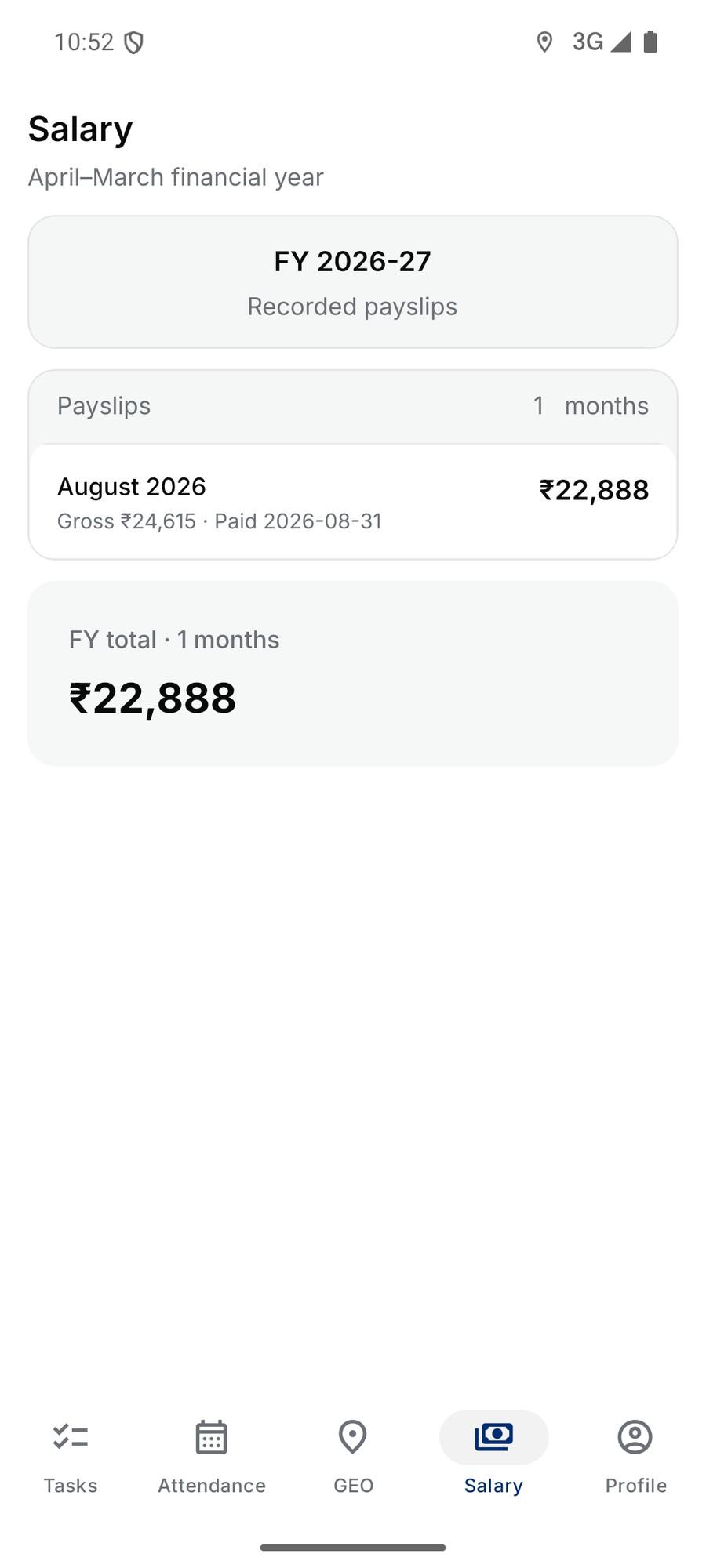
- Payslips
- Salary by financial year.
GEO: where the team is
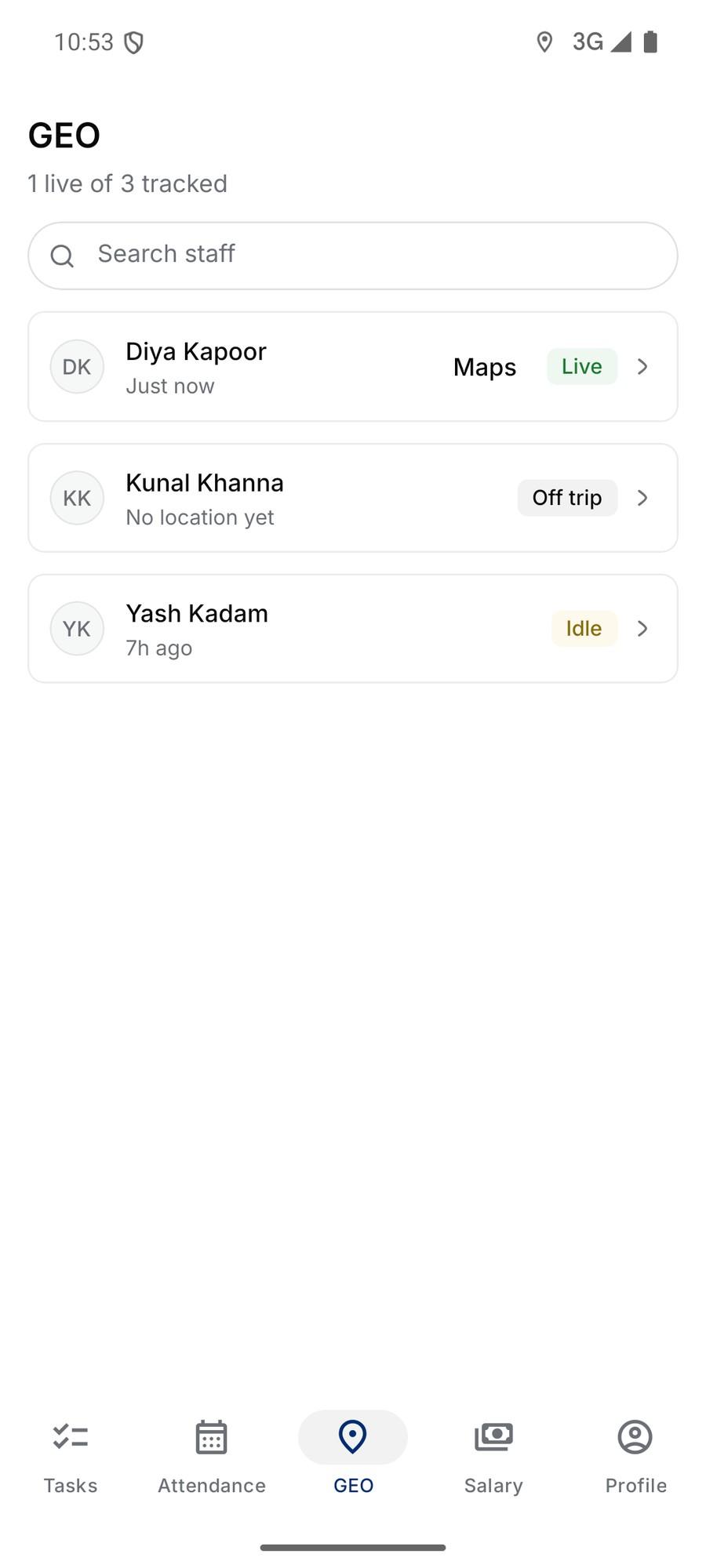
- Live list
- Who is live, idle or off trip, with the last update.
- Day route
- Distance, duration, moving and stopped time on a map, with playback.
- Trip timeline
- Every drive, walk and stop with its address.
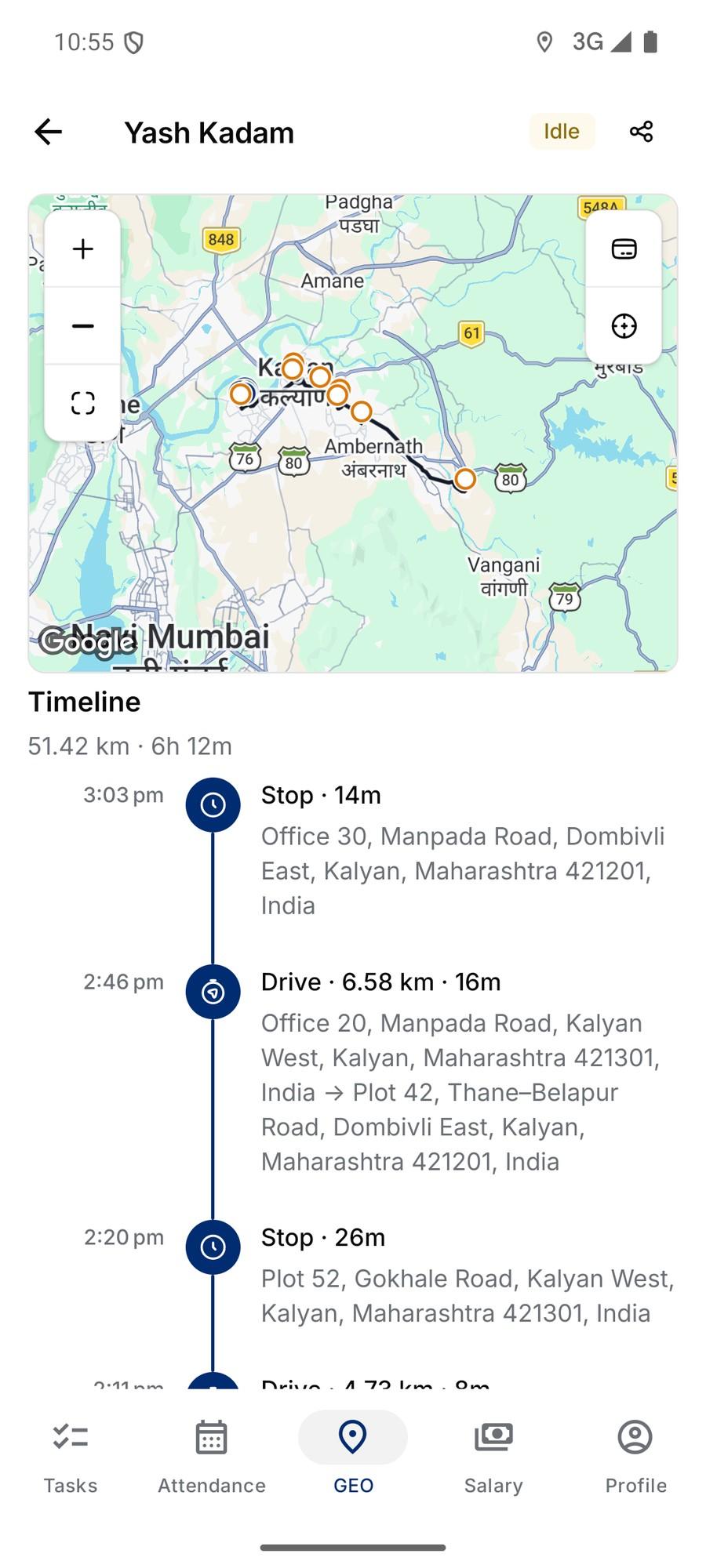
A day in the field
Every drive and stop, with its address
Location is shared while staff are on duty. Inaccurate GPS fixes are filtered, so a bad reading does not invent a trip.
- 9:05Dombivli East · Check-in
- 10:12Kalyan West · Mounting
- 11:02Kalyan East · Monitor
- 11:48Ulhasnagar · Monitor
- 13:10Ambernath · Mounting
- 14:22Badlapur · Monitor
Requirements
What does a crew member need?
An Android phone
With GPS and a camera. Office staff use the web admin panel on any browser.
Their own login
Each person signs in with their own account, so tasks, attendance and salary are theirs.
Location: allow all the time
Needed for the day route; the app explains the setting when it asks.
Battery: unrestricted
Stops Android pausing location sharing; the app shows a banner until it is set.
Questions
Which phones does the OMMS app run on?
The field app runs on Android phones. Office staff use the web admin panel on any browser.
Can a task be marked done without being at the site?
No. Completing a site task needs a GPS location and the required photos, and the app flags mock-location apps.
Is location tracked all the time?
Location is shared while a field staff member is signed in and on duty; the app shows a banner saying so. Managers see the route for the day on the GEO tab and the admin Staff timeline.
Can staff see their salary in the app?
Yes. The Salary tab lists payslips by financial year, and the Attendance tab shows the month’s present, absent, half-day and holiday count.
See the app with your crew’s routes
A walkthrough on demo data: one site from proposal to collection, the field app, and the reports your accountant will ask for.