Run the field · Staff, attendance and location
Field staff attendance, location timeline and salary
OMMS records field staff attendance with a GPS check-in, keeps a monthly roster and pays salaries. The Staff timeline shows each person’s route for a day — distance, drives, stops and the address of every stop.
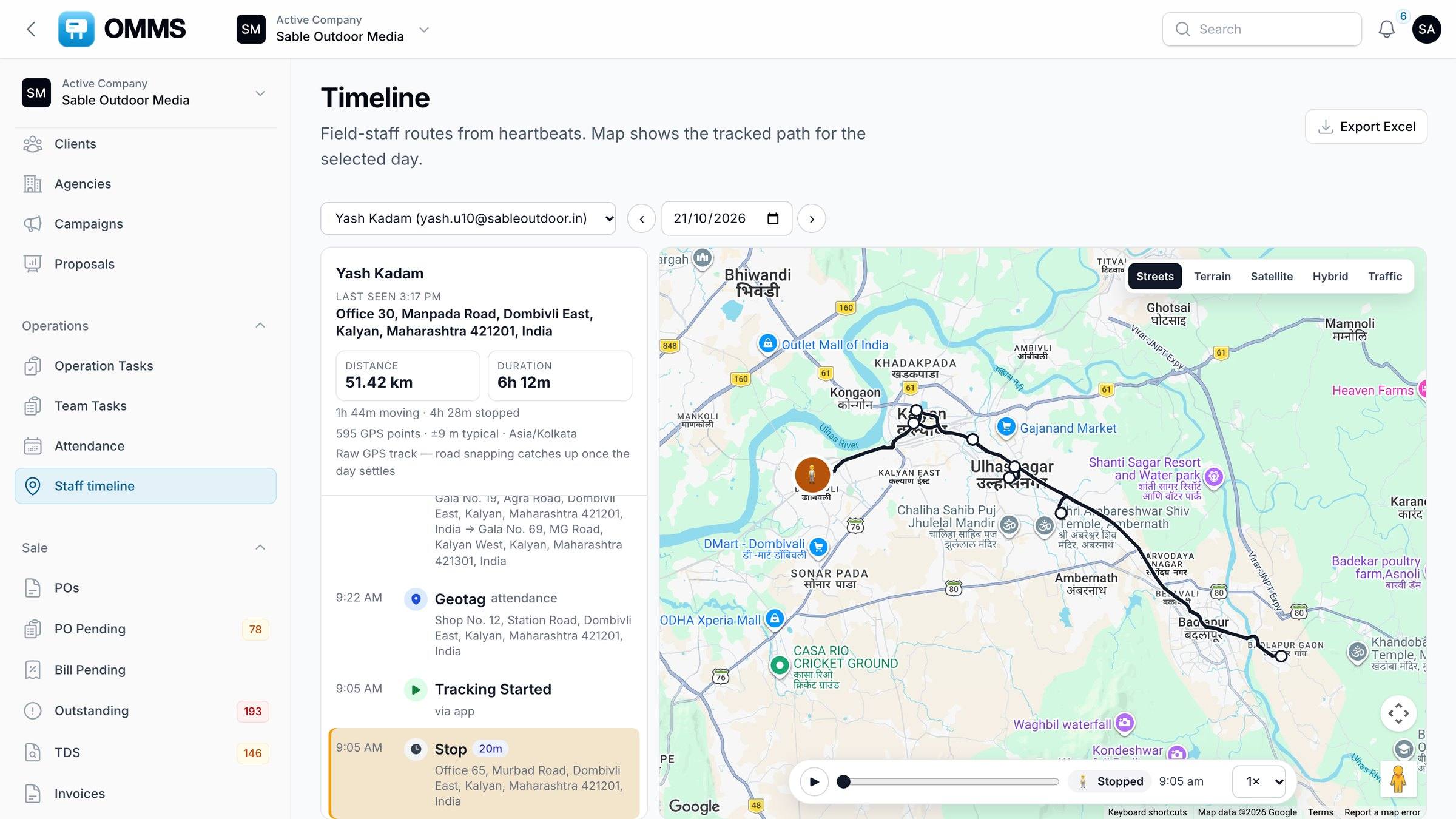
A day’s route with drives and stops.
Capabilities
What can you do with staff, attendance and location in OMMS?
Monthly roster
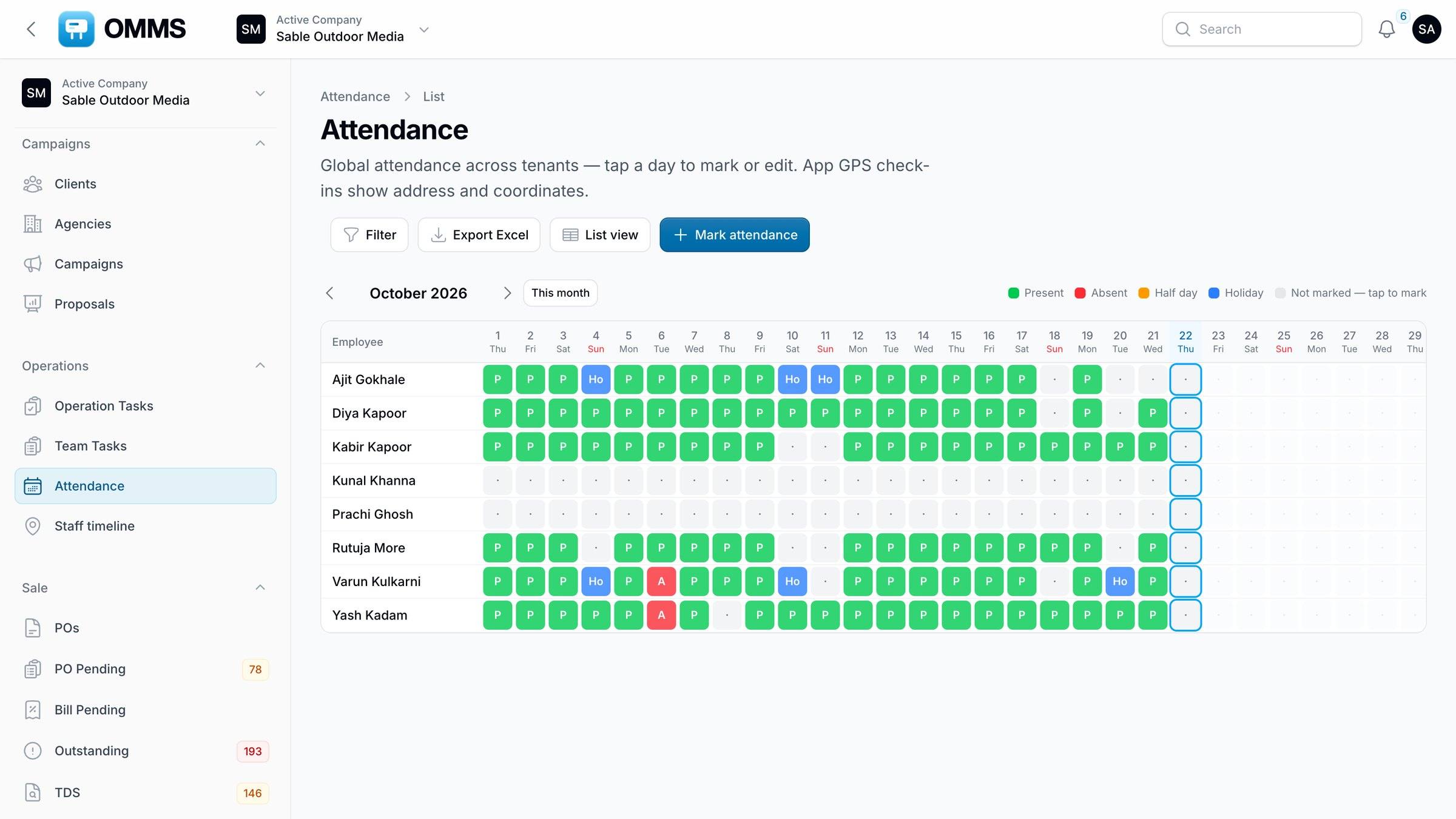
Present, absent, half day and holiday for everyone, editable from the roster.
GPS check-in
Staff check in from the app; the address is saved with the attendance.
Staff timeline
Distance, duration, drives, walks and stops on a map, with playback.
Location accuracy
Inaccurate fixes are filtered so a bad reading does not invent a trip.
Salaries
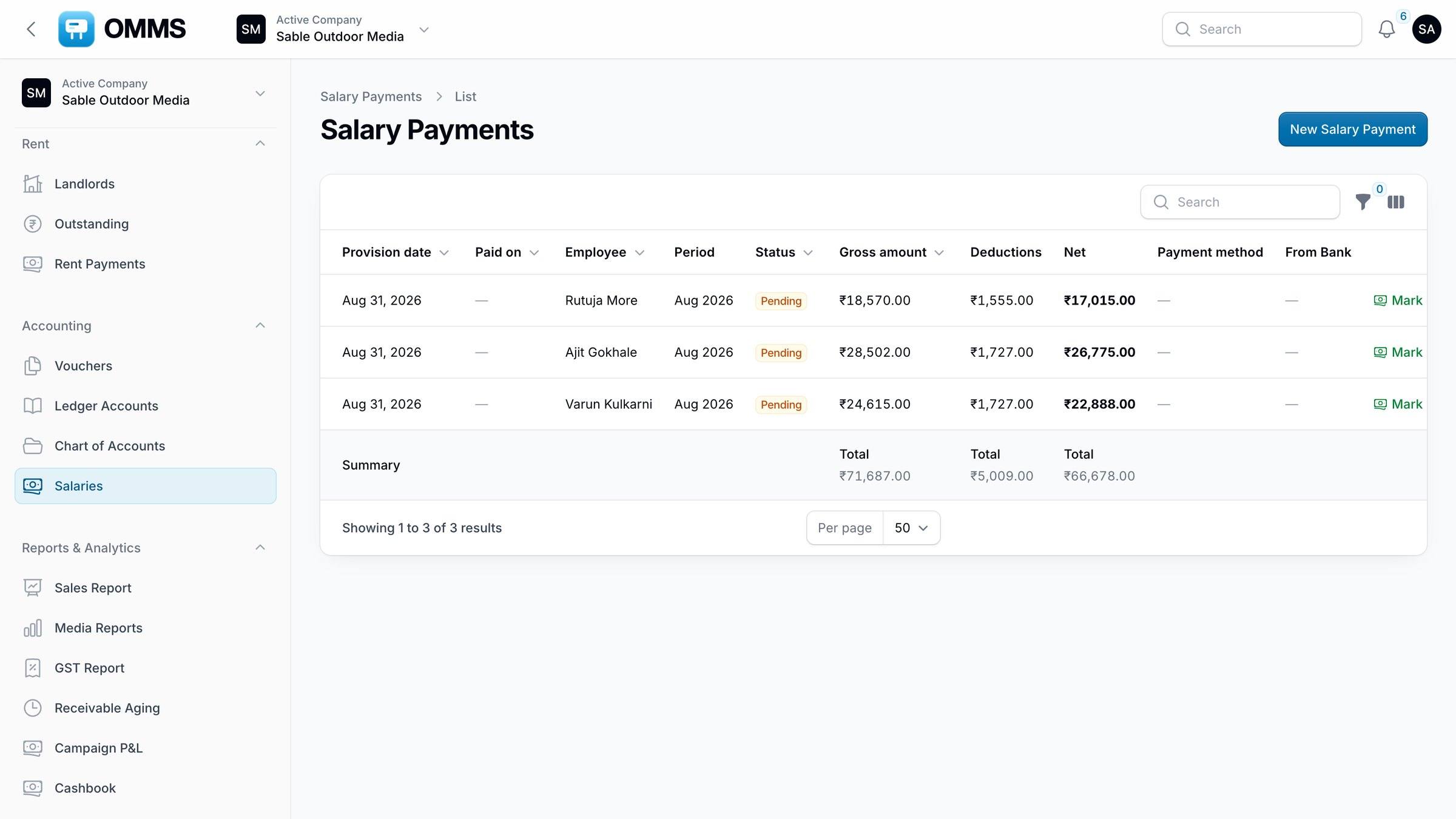
Monthly package, payments, payslips, employee and salary ledgers.
KYC
Bank details and identity documents per staff member.
Step by step
How does it work?
- 1
Staff check in from the app when the day starts.
- 2
Location is shared while they are on duty.
- 3
Managers review the day on the Staff timeline.
- 4
Attendance feeds the monthly salary.
More screens
See it in OMMS
FAQ
Questions about staff, attendance and location
How does attendance work for field staff?
Staff check in from the OMMS app with GPS; the location and address are saved with the day’s attendance. Managers can also mark present, absent, half day or holiday from the roster.
Can managers see where field staff went during the day?
Yes. The Staff timeline shows each tracked person’s route for a chosen day with distance, drives, stops and stop addresses, and it can be exported to Excel.
Works with
See a booking go from free site to payment
A walkthrough on demo data: one site from proposal to collection, the field app, and the reports your accountant will ask for.