Buy and rent · Purchase and vendors
Vendor POs and bills for printing and mounting
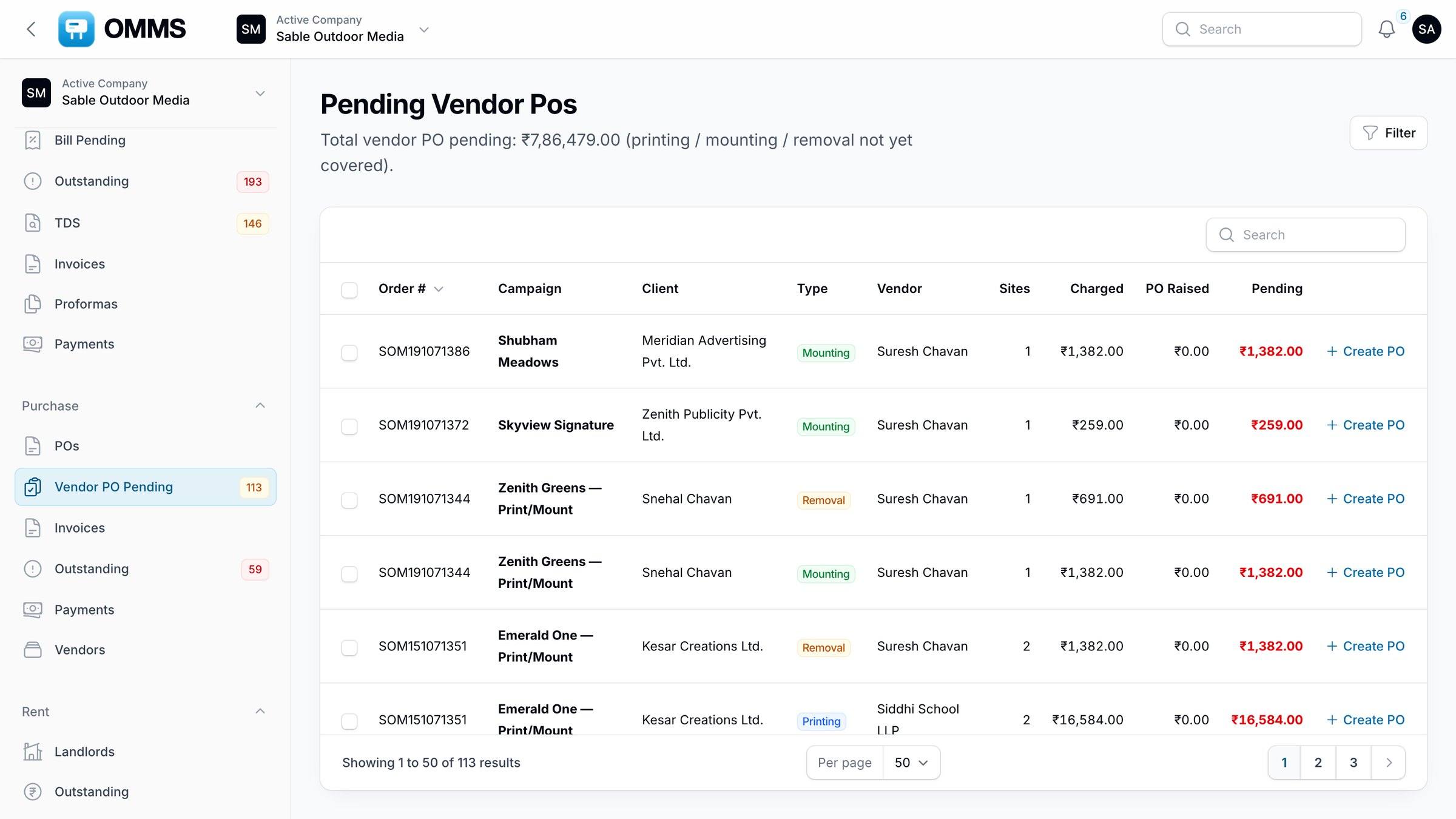
Purchase covers what you pay printers, mounters and other vendors. Vendor PO Pending shows every site charged to a client that has no vendor order yet; from there you raise POs, record the vendor’s bill, approve it and pay.
Vendor PO Pending
billed, not ordered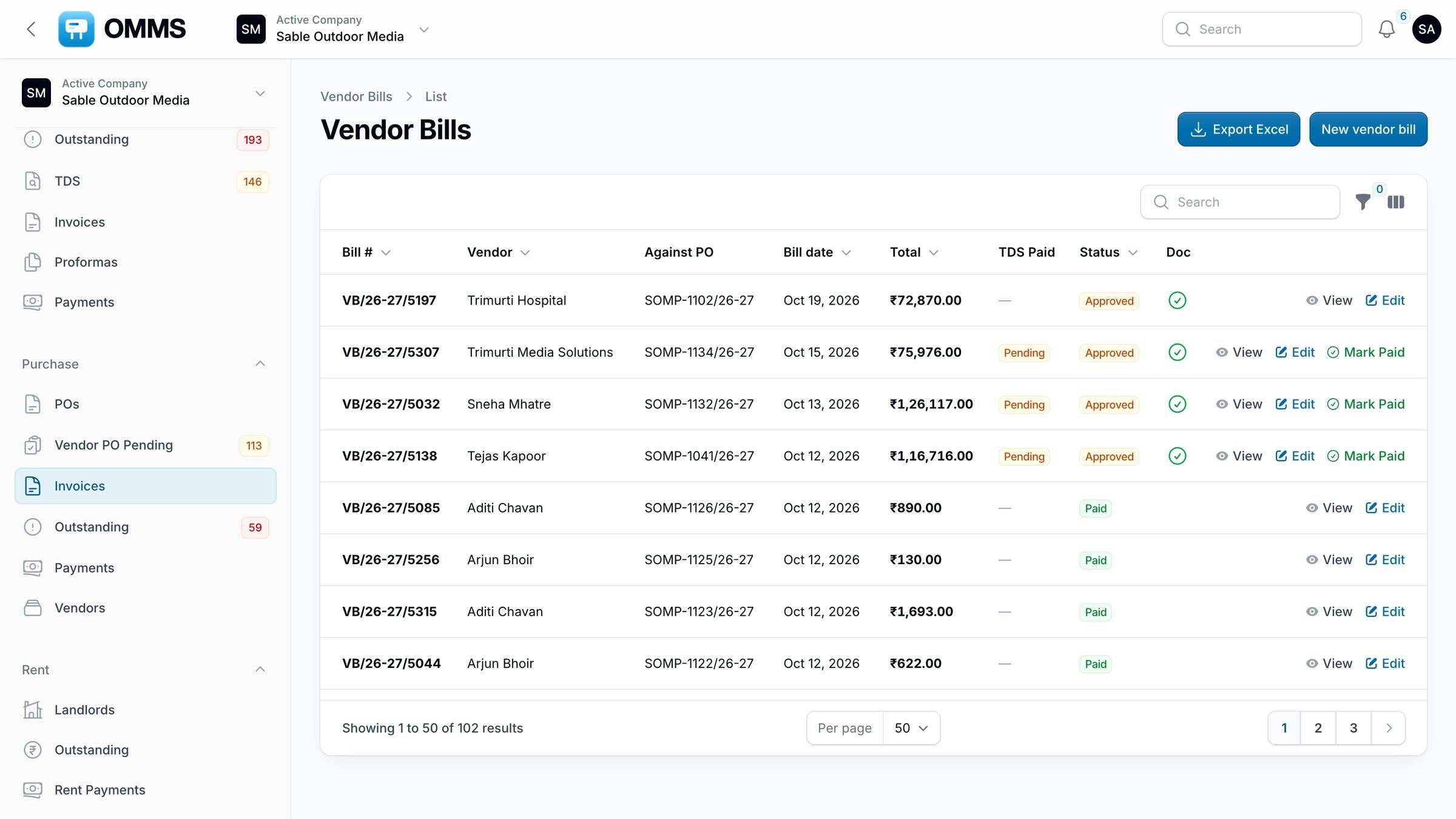
Vendor bills with approval status.
Capabilities
What can you do with purchase and vendors in OMMS?
Vendor PO Pending
Sites that still need a printing, mounting or removal PO.
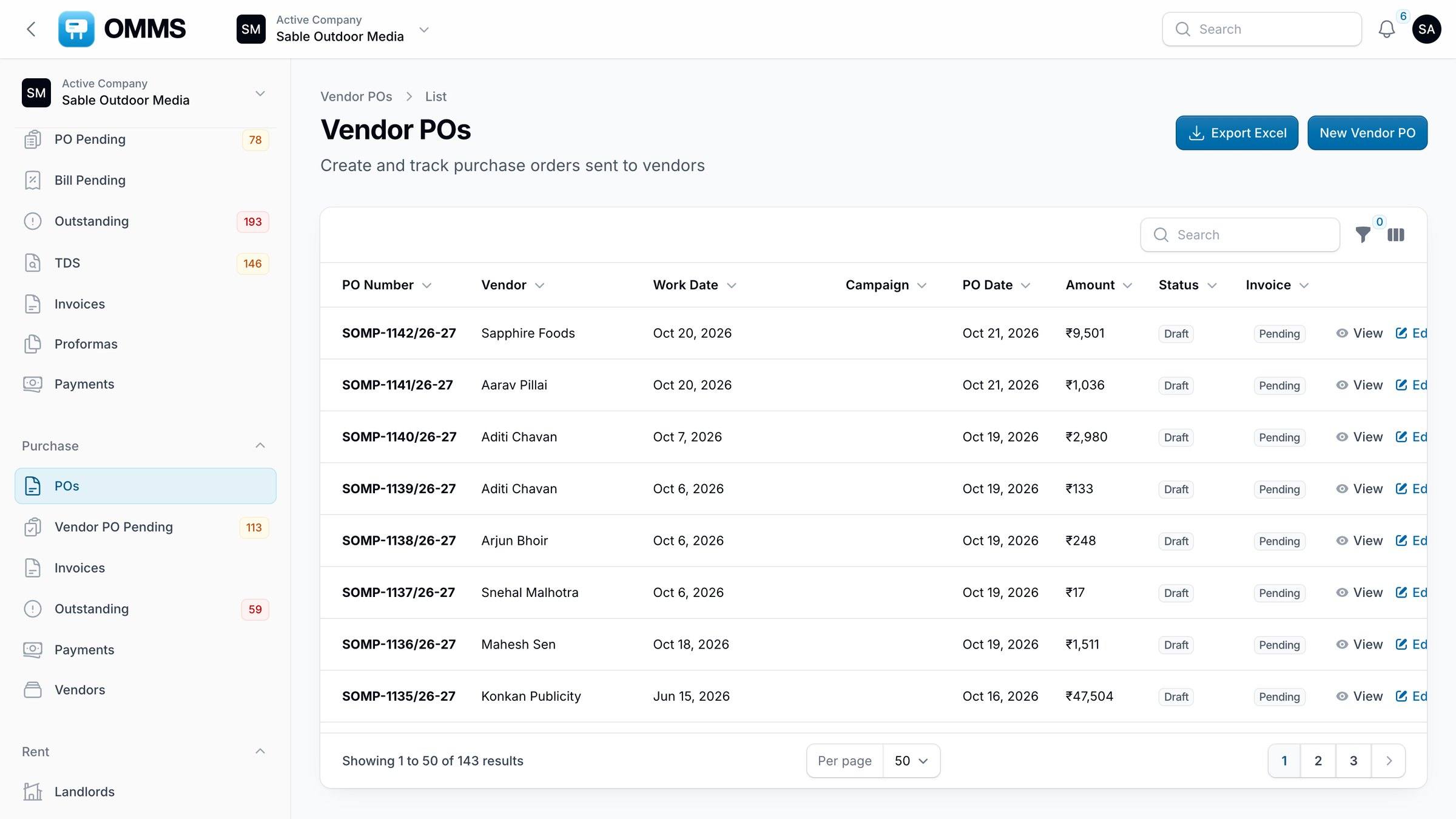
Vendor POs
Single or merged POs; email the PO; PDF download.
Vendor bills
Bill against a PO, with GST and TDS; approve, then pay.
Vendors
Directory by vendor type, with POs, bills, payments and tasks per vendor.
Outstanding
Approved vendor bills that are not fully paid yet.
Payments
Pay approved bills from a company bank account with reference tracking.
Step by step
How does it work?
- 1
Open Vendor PO Pending after a campaign is booked.
- 2
Create a PO (or a merged PO) for the printer or mounter.
- 3
Record the vendor’s bill against the PO and approve it.
- 4
Pay the bill and record the reference.
More screens
See it in OMMS
FAQ
Questions about purchase and vendors
How do I know which sites still need a printer or mounter?
Vendor PO Pending lists every booked site with printing, mounting or removal charges that has no vendor PO yet, so nothing is missed between sales and operations.
Can one vendor PO cover several campaigns?
Yes. Create a merged PO to order work for several sites or campaigns from one vendor at once.
Works with
Guides on this topic
See a booking go from free site to payment
A walkthrough on demo data: one site from proposal to collection, the field app, and the reports your accountant will ask for.