Sell · Campaigns
Campaign management for outdoor advertising
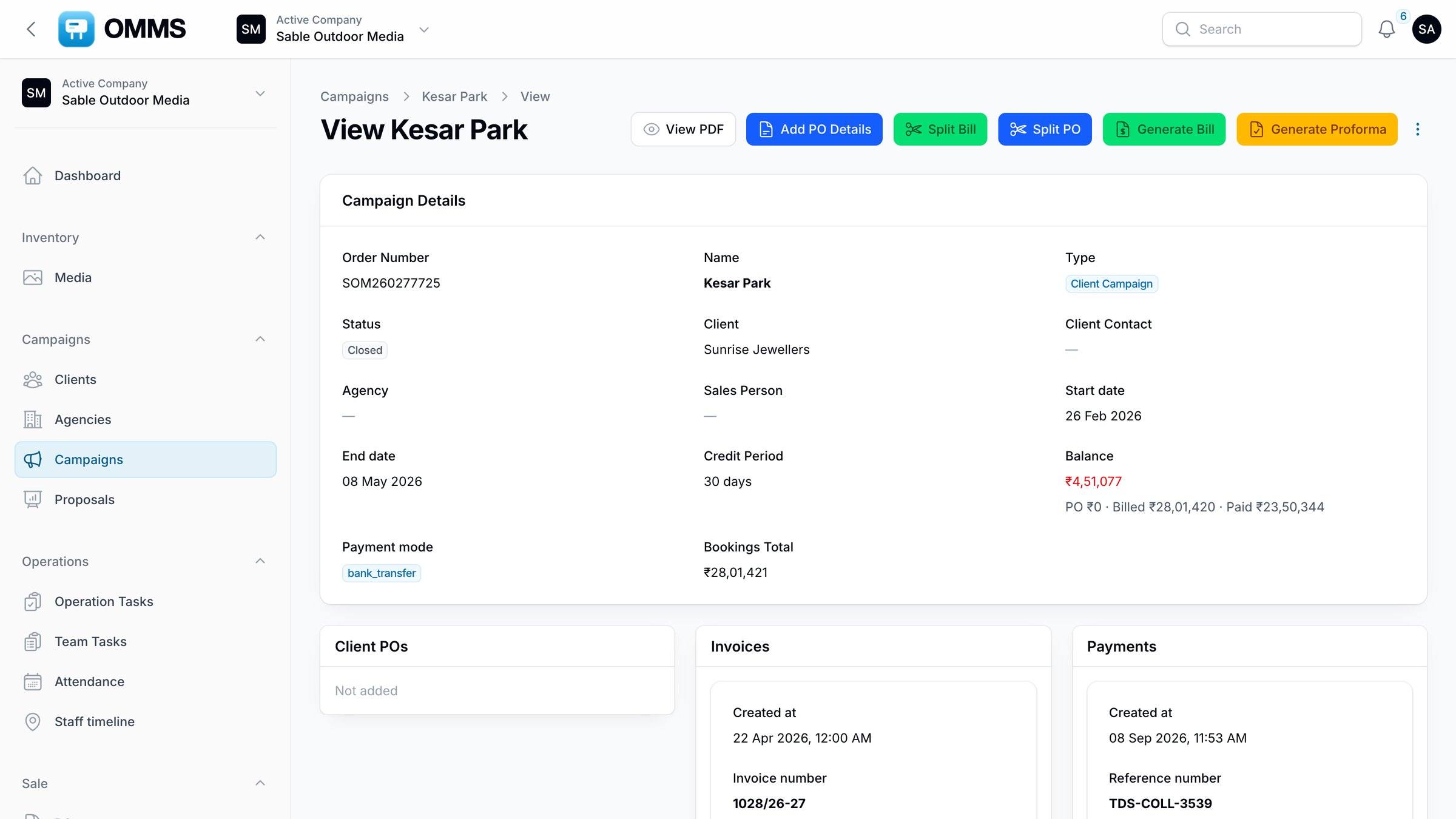
A campaign is one client booking: the sites, dates and charges, and everything that follows from them. OMMS keeps the client POs, invoices, payments, field tasks, proof photos and extensions on the same record, so anyone can see where a campaign stands.
Campaign · Saffron Realty LLP
Riverdale Enclave
- 1Booked
- 2Executed
- 3Billed
- 4Part paid
- 5Closed
- Sites6 hoardings · 18 Oct – 16 Nov
- Mounting6 of 6 done · 12 proof photos
- Invoice1216/26-27 · ₹1,57,648
- Payment₹1,55,648 + TDS ₹2,000
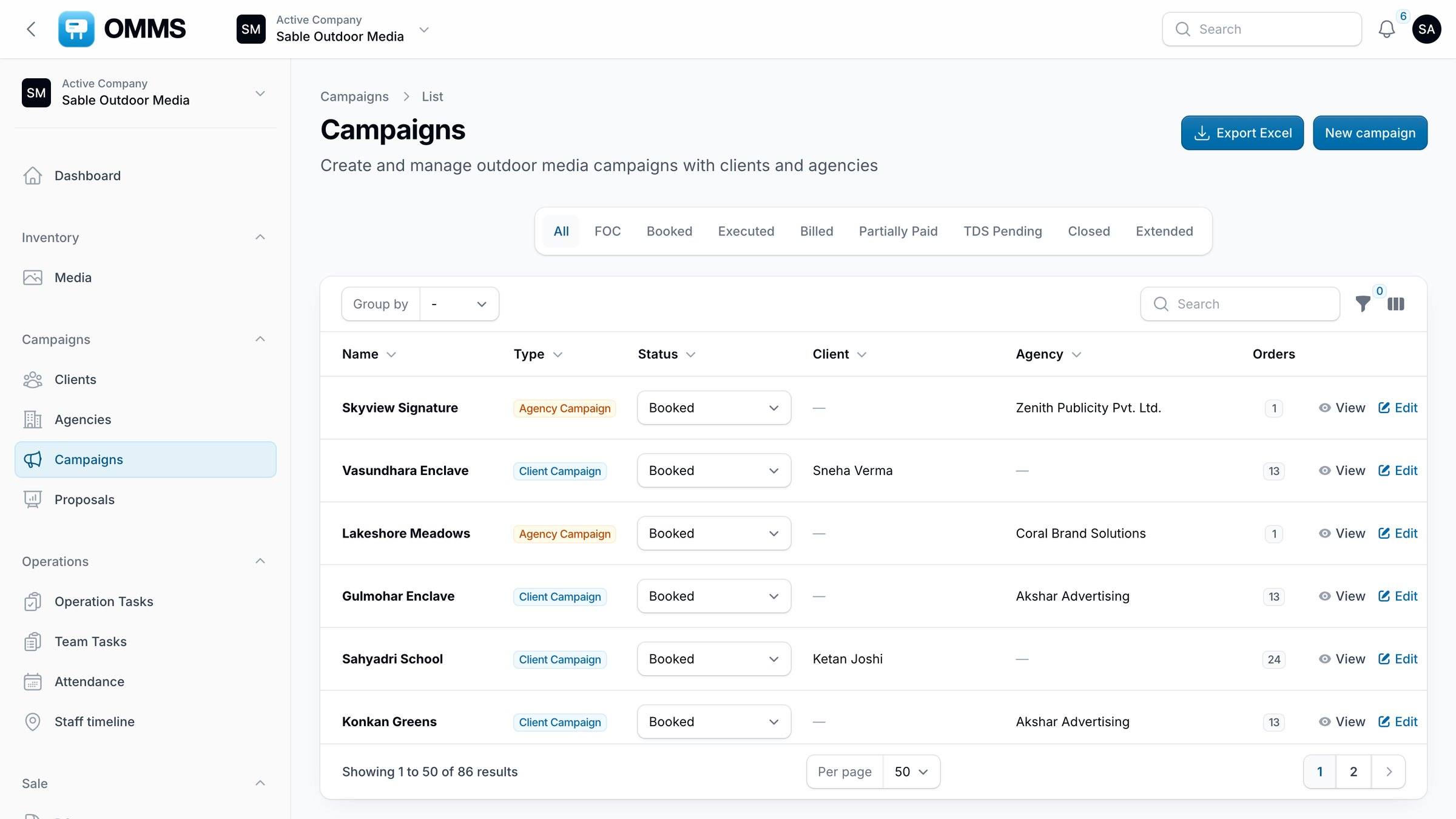
Campaigns with status tabs.
Capabilities
What can you do with campaigns in OMMS?
Status tabs
FOC, Booked, Executed, Billed, Partially Paid, TDS Pending, Closed and Extended.
Client or agency campaigns
Record the client, agency, sales owner, credit period and payment mode.
Charges per site
Display, printing, mounting and removal charges, each with its own rate.
Billing actions
Generate a bill or proforma, split a bill or PO, and add PO details.
Create Print/Mount Order
Copy a running campaign for a banner change, with production charges and Monitor visits.
Proof
Proof photos from the field and a proof PowerPoint for the client.
Extensions
Extend a running campaign and notify the client contact.
Step by step
How does it work?
- 1
Book sites for a client or agency with dates and charges.
- 2
Assign mounting to a crew or vendor; Monitor visits are created from the campaign dates.
- 3
Record the client PO and generate the invoice.
- 4
Collect payment and TDS; the campaign closes or is extended.
More screens
See it in OMMS
FAQ
Questions about campaigns
What campaign statuses does OMMS use?
FOC, Booked, Executed, Billed, Partially Paid, TDS Pending, Closed and Extended. Each is a tab on the Campaigns list, so you can see at a glance what needs billing or collecting.
Can I bill printing and mounting separately from display?
Yes. Each booked site carries separate display, printing, mounting and removal charges, and invoices can be generated or split to match how the client wants to be billed.
How do I extend a running campaign?
Use Extend on the campaign. You can copy the sites as they are or change dates and sites, and email the client contact about the extension.
Works with
Guides on this topic
- E-invoicing (IRN) for outdoor media companies in IndiaWhen an outdoor media company must e-invoice under GST, the 30-day IRN limit, credit notes, and how to handle FOC sites, cancellations and extensions.
- Proof of posting for hoardings, done properlyWhat advertisers expect as proof that a hoarding ad went up and stayed up, and how to collect mounting photos without losing them in chats.
- SAC code for hoarding and outdoor advertising: 998366, 998362 or 998361Which SAC code to put on a hoarding or outdoor advertising invoice in India — 998366, 998362 or 998361 — with sample invoice lines and common mistakes.
- What is outdoor media management software?What billboard and hoarding (outdoor media) management software does, who needs it, and what to check before choosing one — inventory to GST billing.
See a booking go from free site to payment
A walkthrough on demo data: one site from proposal to collection, the field app, and the reports your accountant will ask for.