Control · Roles and security
Roles, audit log and recovery
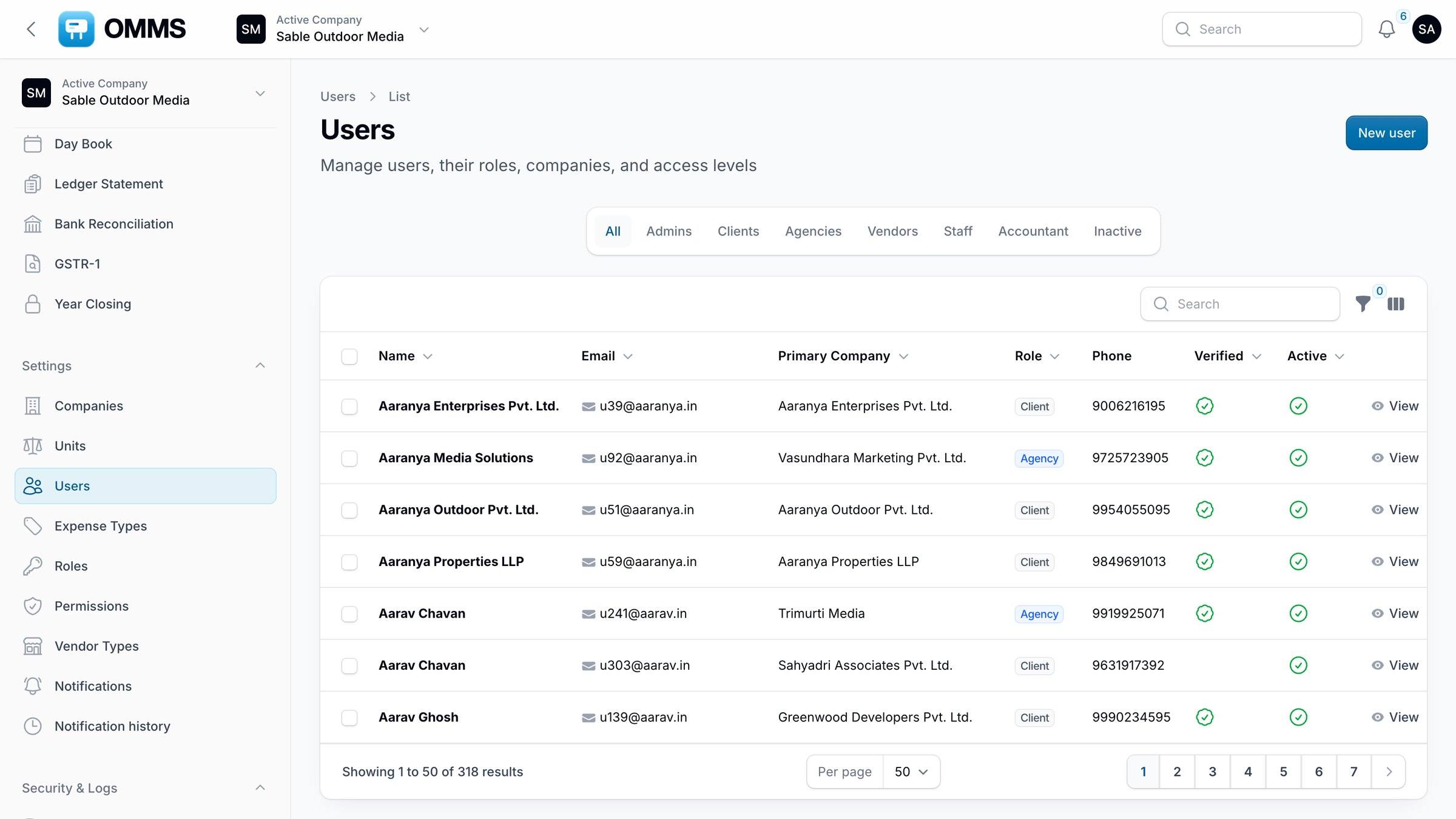
OMMS controls who can see and change what with roles and permissions, records changes in an audit log, warns what a delete affects, and keeps deleted records in a trash you can restore from. A group can run several companies from one login.
Roles
Sable Outdoor Media- VKVarun KulkarniManager
- AGAjit GokhaleAccountant
- DKDiya KapoorStaff
- SRSaffron RealtyClient
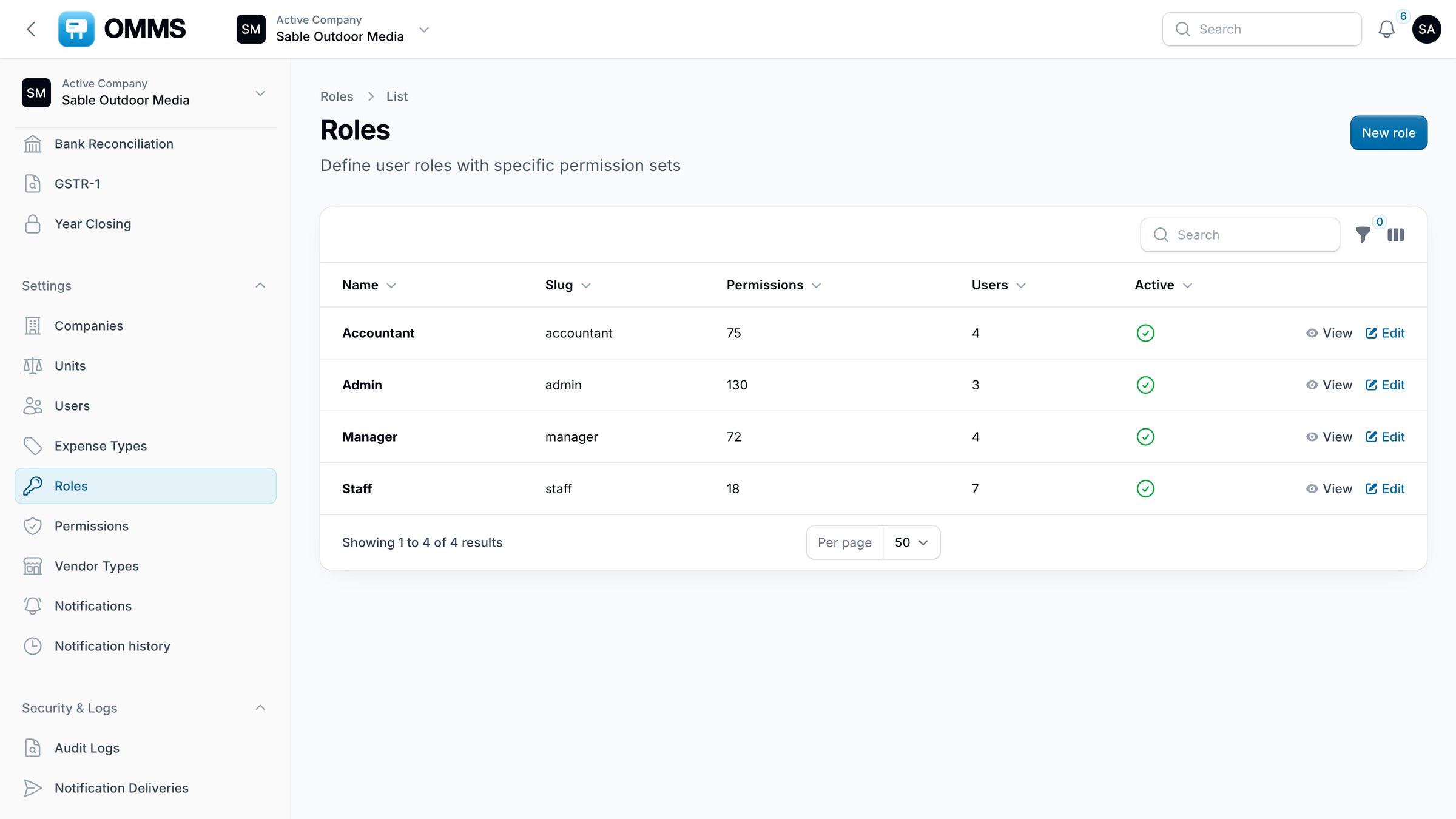
Roles and permissions.
Capabilities
What can you do with roles and security in OMMS?
Roles
Super Admin, Admin, Manager, Accountant, Staff, Client, Agency and Vendor.
Permissions
Fine-grained permissions per role.
Audit Logs
Who changed what, with old and new values.
Safe deletes
See what a delete affects before you confirm.
Trash
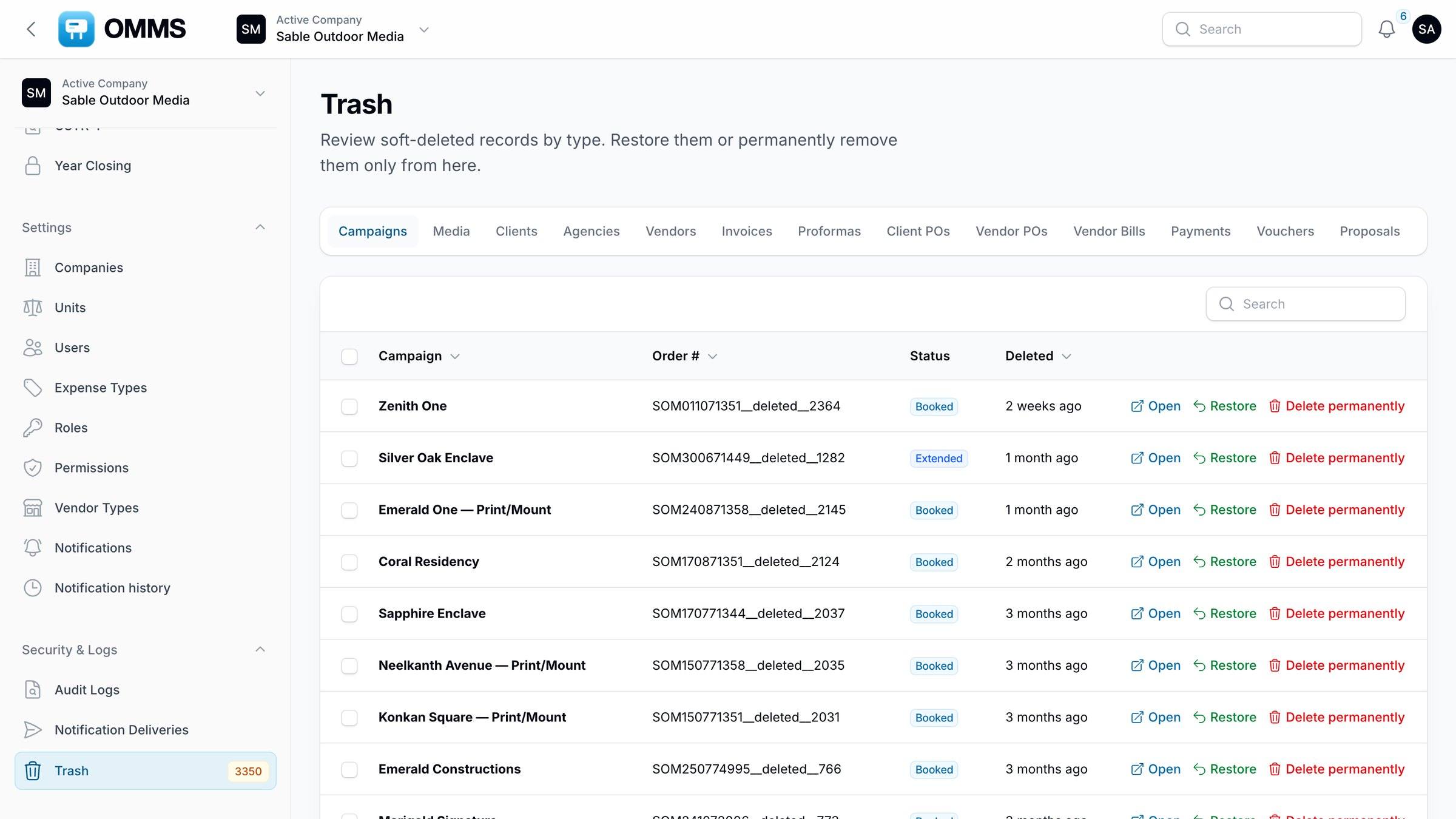
Restore deleted records by type, or delete them permanently.
Several companies
Switch between the companies in your group from the top bar.
Step by step
How does it work?
- 1
Give each person a role.
- 2
Adjust permissions where a role needs more or less.
- 3
Review changes in Audit Logs.
- 4
Restore anything deleted by mistake from Trash.
More screens
See it in OMMS
FAQ
Questions about roles and security
Can I undo a deleted campaign or invoice?
Yes. Deleted records go to Trash, grouped by type, where you can restore them or delete them permanently.
Can one login manage several companies?
Yes. Users linked to more than one company in the group switch between them from the top bar, and each company’s data stays separate.
Works with
See a booking go from free site to payment
A walkthrough on demo data: one site from proposal to collection, the field app, and the reports your accountant will ask for.