Books and reports · Reports
Reports for owners, finance and sales
Sales, GST, GSTR-1, profit by site, Campaign P&L and receivable aging — for any period, each exportable to Excel for your accountant.
Sales Report · FY 2026-27
₹9.5 L +13% vs Sep
- Taxable
- ₹8.05 L
- GST collected
- ₹1.19 L
- GST pending
- ₹26 K
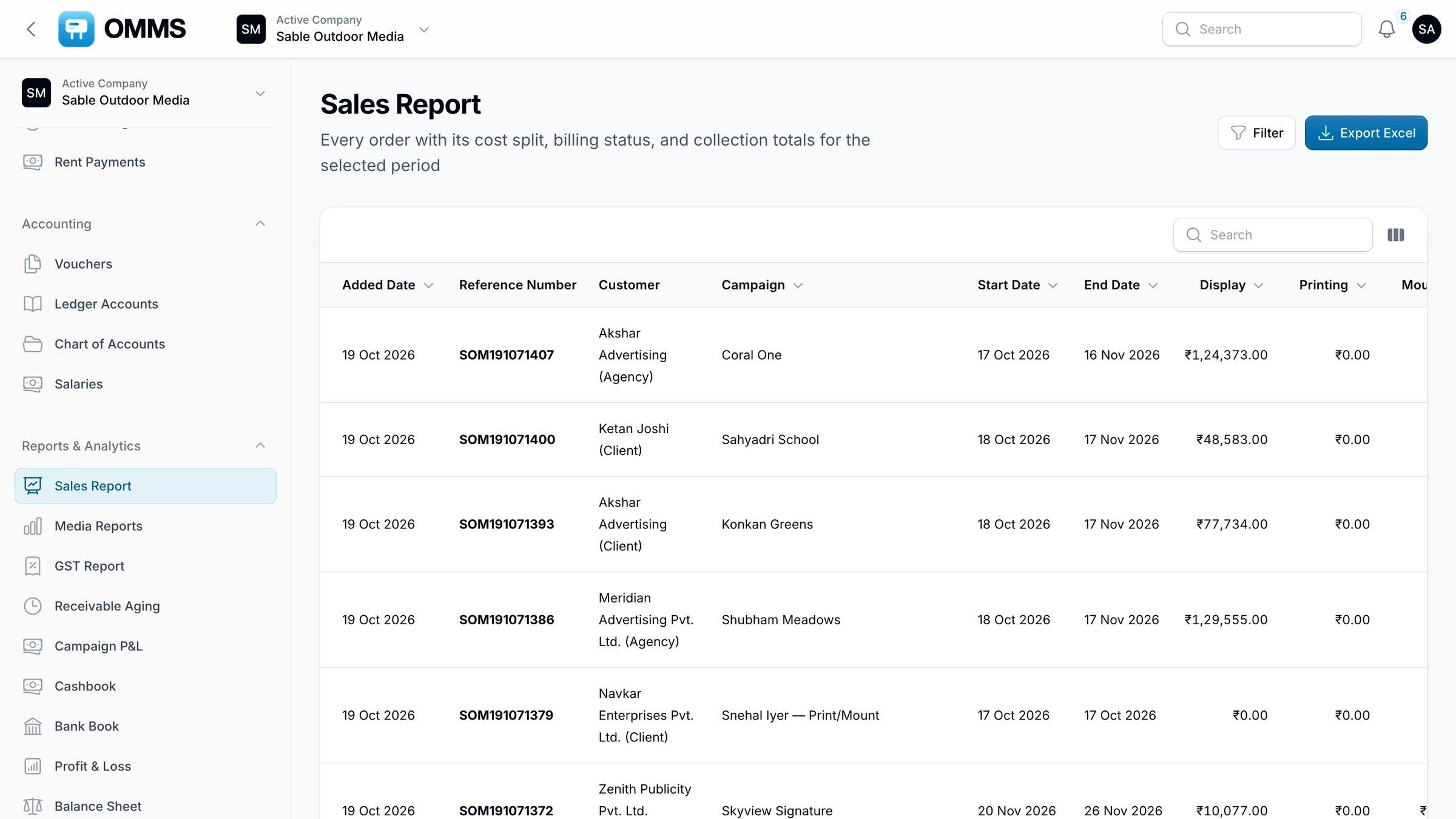
Sales Report.
Capabilities
What can you do with reports in OMMS?
Sales Report
Every order with its cost split, billing and collection status.
GST Report
Taxable value, CGST, SGST, IGST, GST collected and pending.
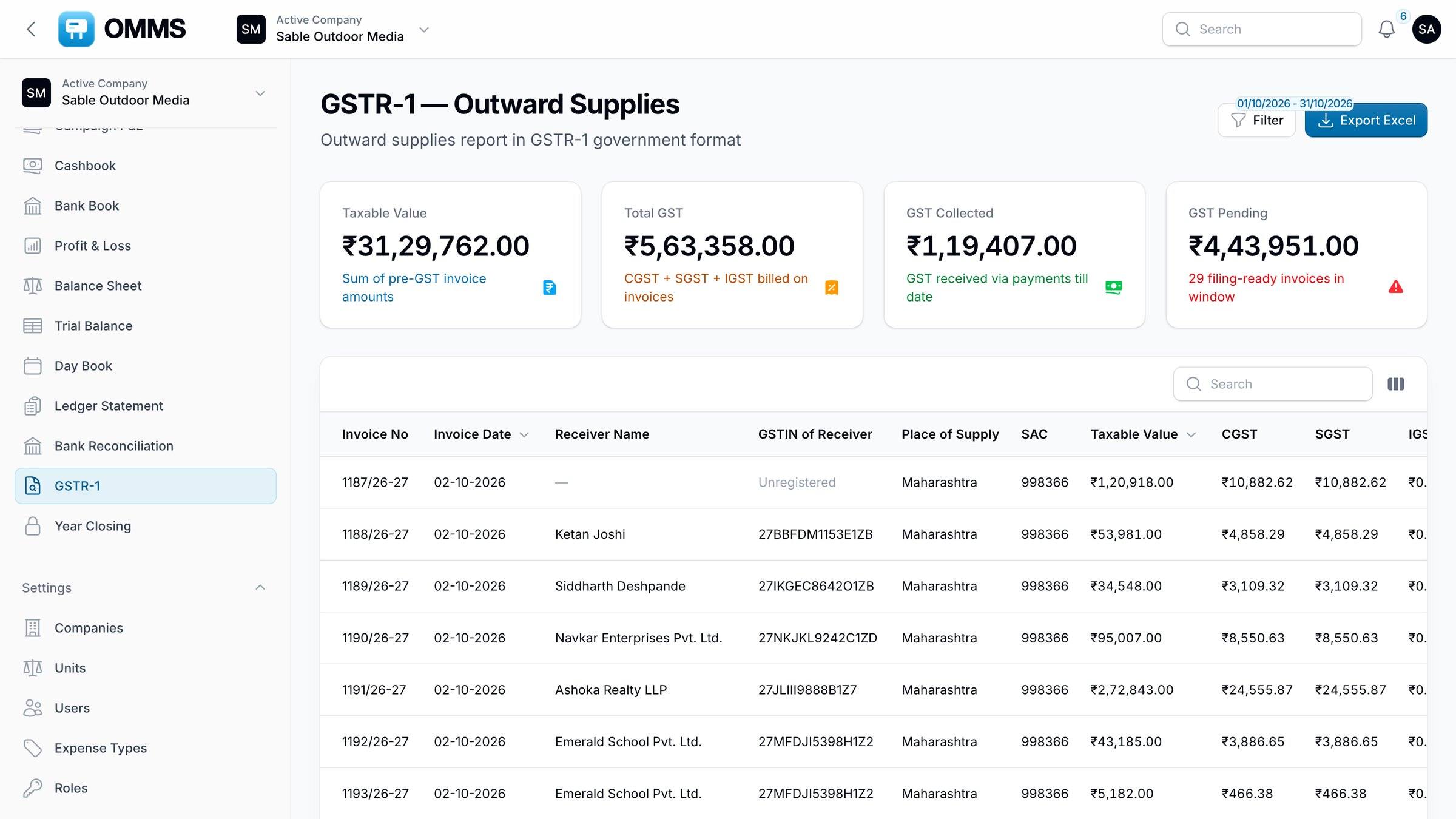
GSTR-1
Outward supplies in the GSTR-1 layout.
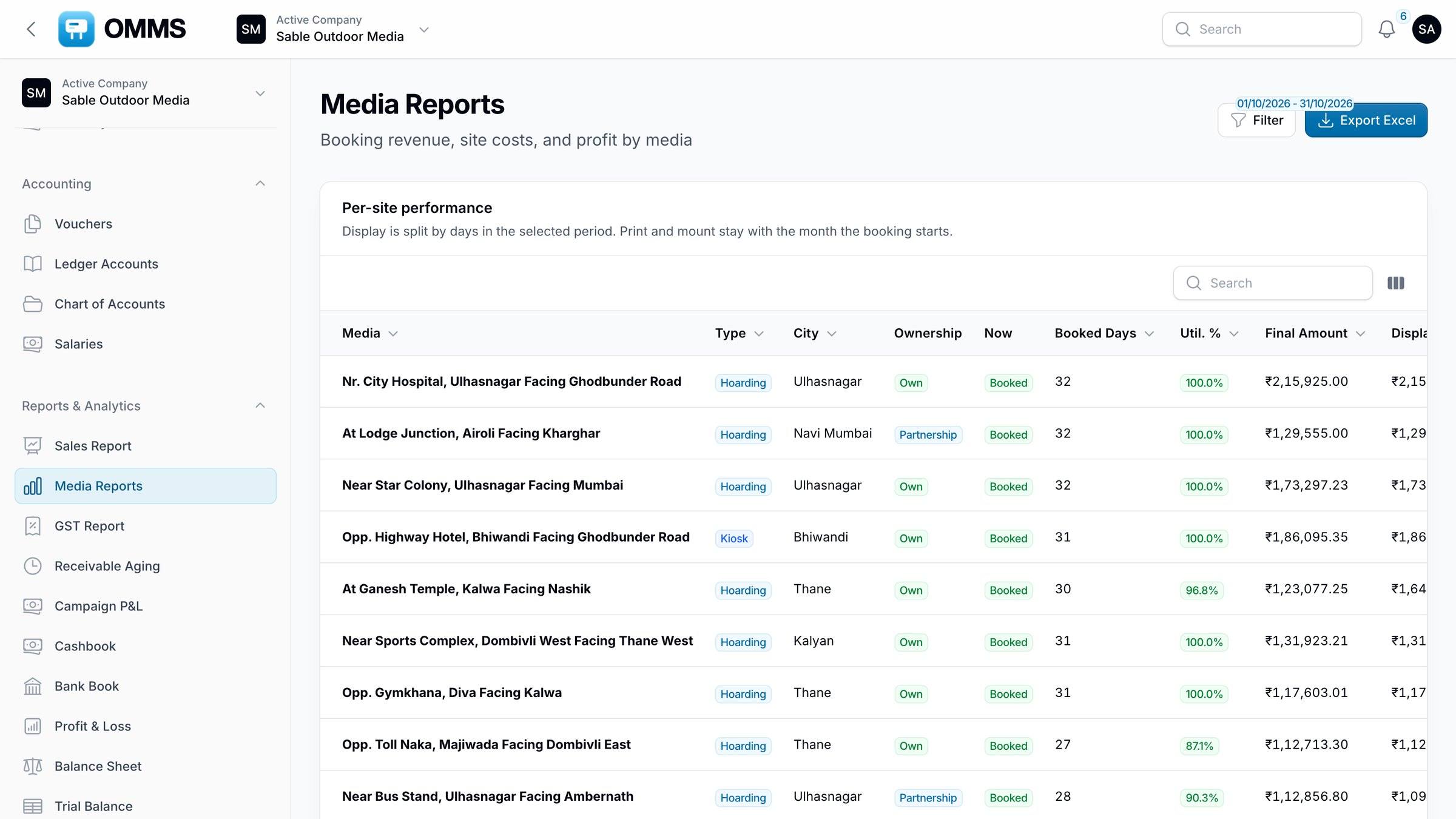
Media Reports
Days booked, utilisation, revenue, cost and profit for every site.
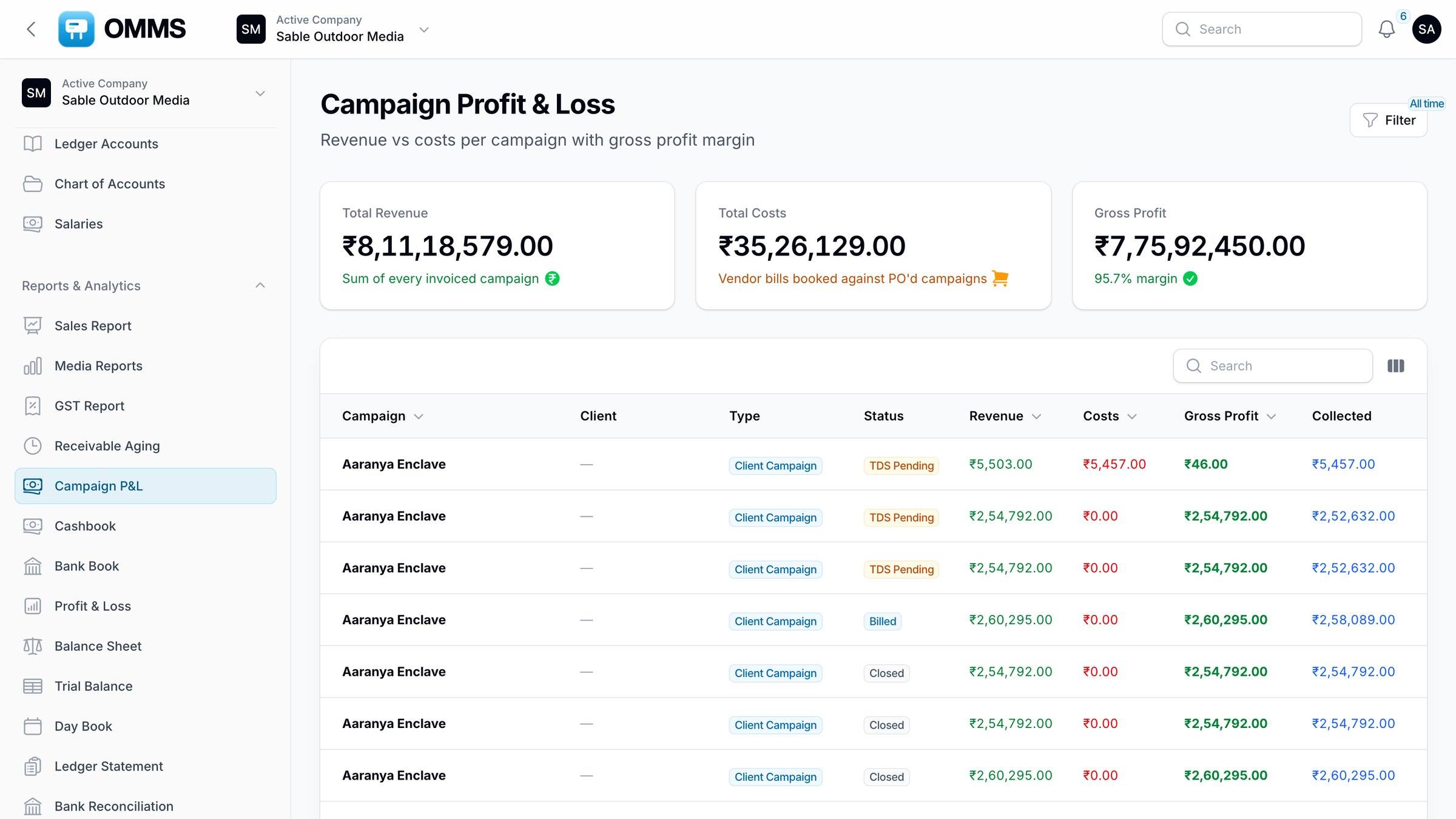
Campaign P&L
Revenue against vendor costs per campaign, with gross margin.
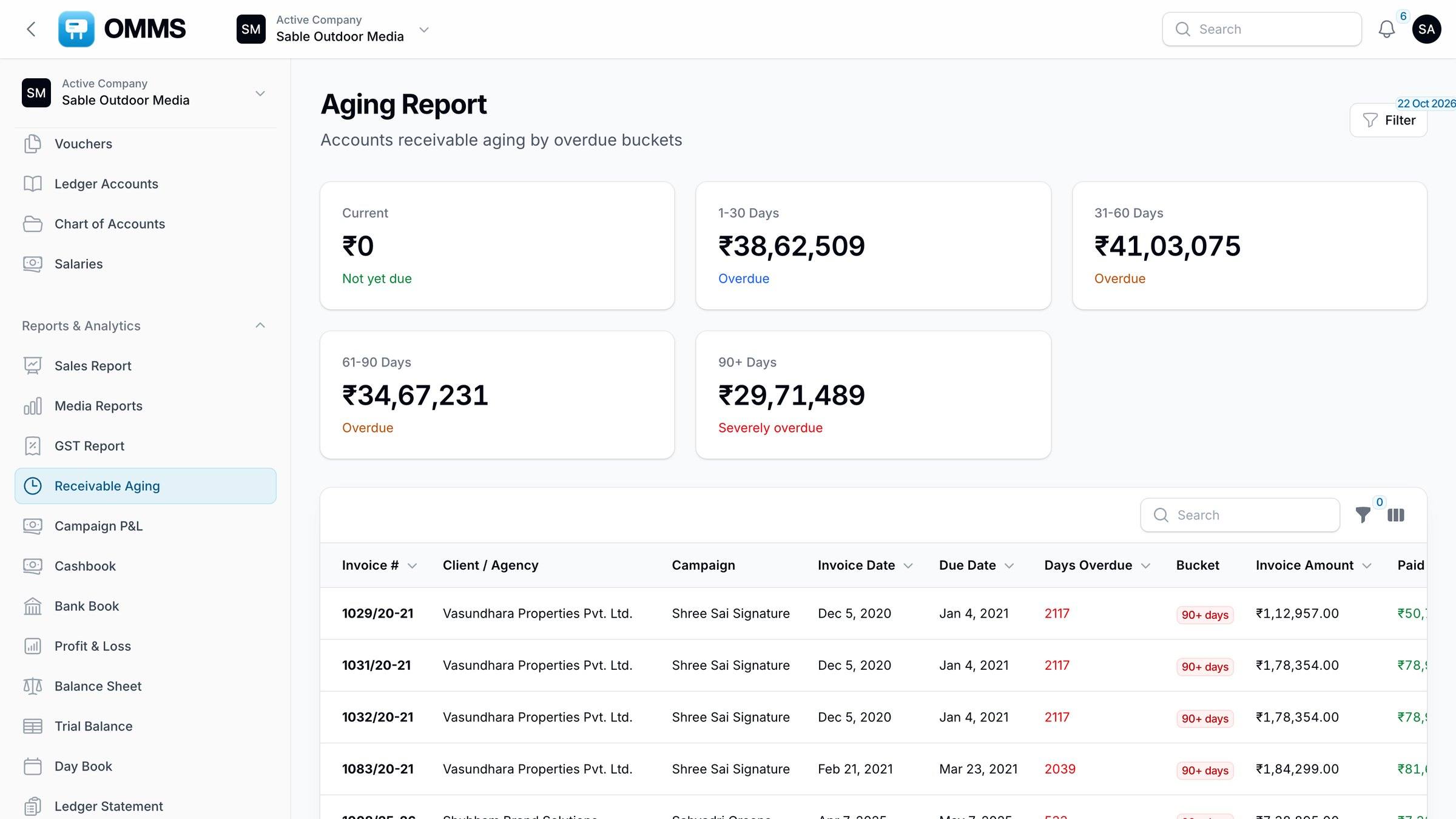
Receivable Aging
Outstanding invoices in 1–30, 31–60, 61–90 and 90+ day buckets.
Financial statements
Profit & Loss, Balance Sheet and Trial Balance.
Step by step
How does it work?
- 1
Pick the period.
- 2
Filter by client, campaign or site.
- 3
Export to Excel for the accountant.
More screens
See it in OMMS
FAQ
Questions about reports
Can OMMS prepare GSTR-1 data?
Yes. The GSTR-1 report lists outward supplies with the receiver’s GSTIN, place of supply, SAC, taxable value and tax, and exports to Excel for filing.
Can I see profit per hoarding site?
Yes. Media Reports shows days booked, utilisation, revenue, cost and profit for each site over the period you choose.
Works with
Guides on this topic
- E-invoicing (IRN) for outdoor media companies in IndiaWhen an outdoor media company must e-invoice under GST, the 30-day IRN limit, credit notes, and how to handle FOC sites, cancellations and extensions.
- GST and TDS on outdoor advertising in IndiaHow GST and TDS apply to hoarding and outdoor advertising invoices in India: SAC code, IGST or CGST/SGST, GSTR-1, and TDS on payments and site rent.
- Hoarding inventory in Excel vs softwareWhen a spreadsheet is enough for hoarding inventory, the signs it has stopped working, and what billboard inventory software adds.
- SAC code for hoarding and outdoor advertising: 998366, 998362 or 998361Which SAC code to put on a hoarding or outdoor advertising invoice in India — 998366, 998362 or 998361 — with sample invoice lines and common mistakes.
- TDS on outdoor advertising under the Income-tax Act, 2025TDS on hoarding and outdoor advertising from 1 April 2026: section 393 entries that replace 194C and 194-I, rates, thresholds and credit tracking.
See a booking go from free site to payment
A walkthrough on demo data: one site from proposal to collection, the field app, and the reports your accountant will ask for.