Sell · Proposals
Hoarding proposals your clients can open
A proposal is a list of sites you offer a client for given dates. You build it from the Media catalogue and send it by email; the client gets Excel and PowerPoint download links, and OMMS records who received it and when.
Diwali shortlist — 12 sites, Thane & Kalyan
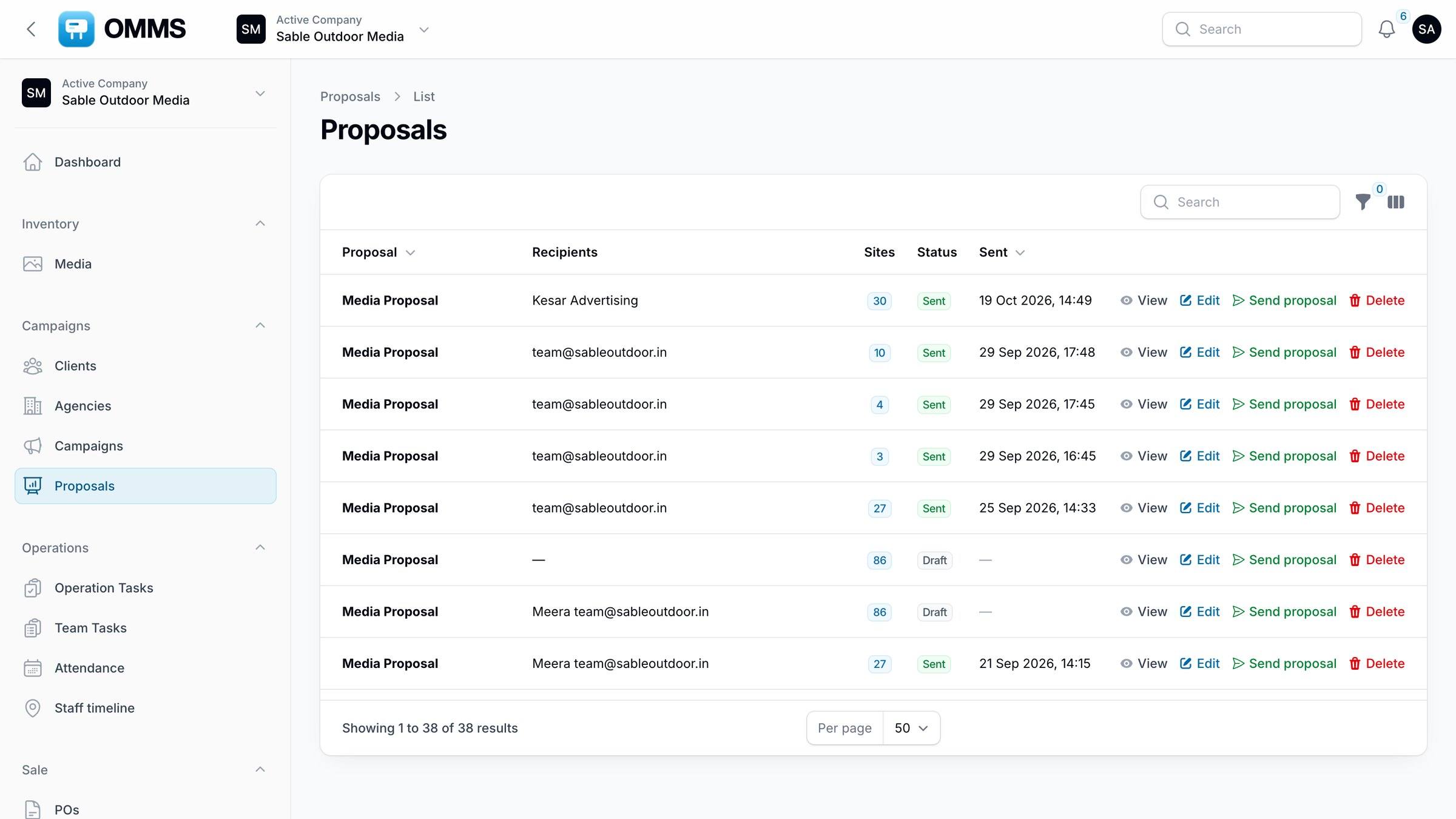
Proposals with recipients and status.
Capabilities
What can you do with proposals in OMMS?
Build from Media
Select sites in the catalogue and create a proposal in one step.
Send with To, CC and BCC
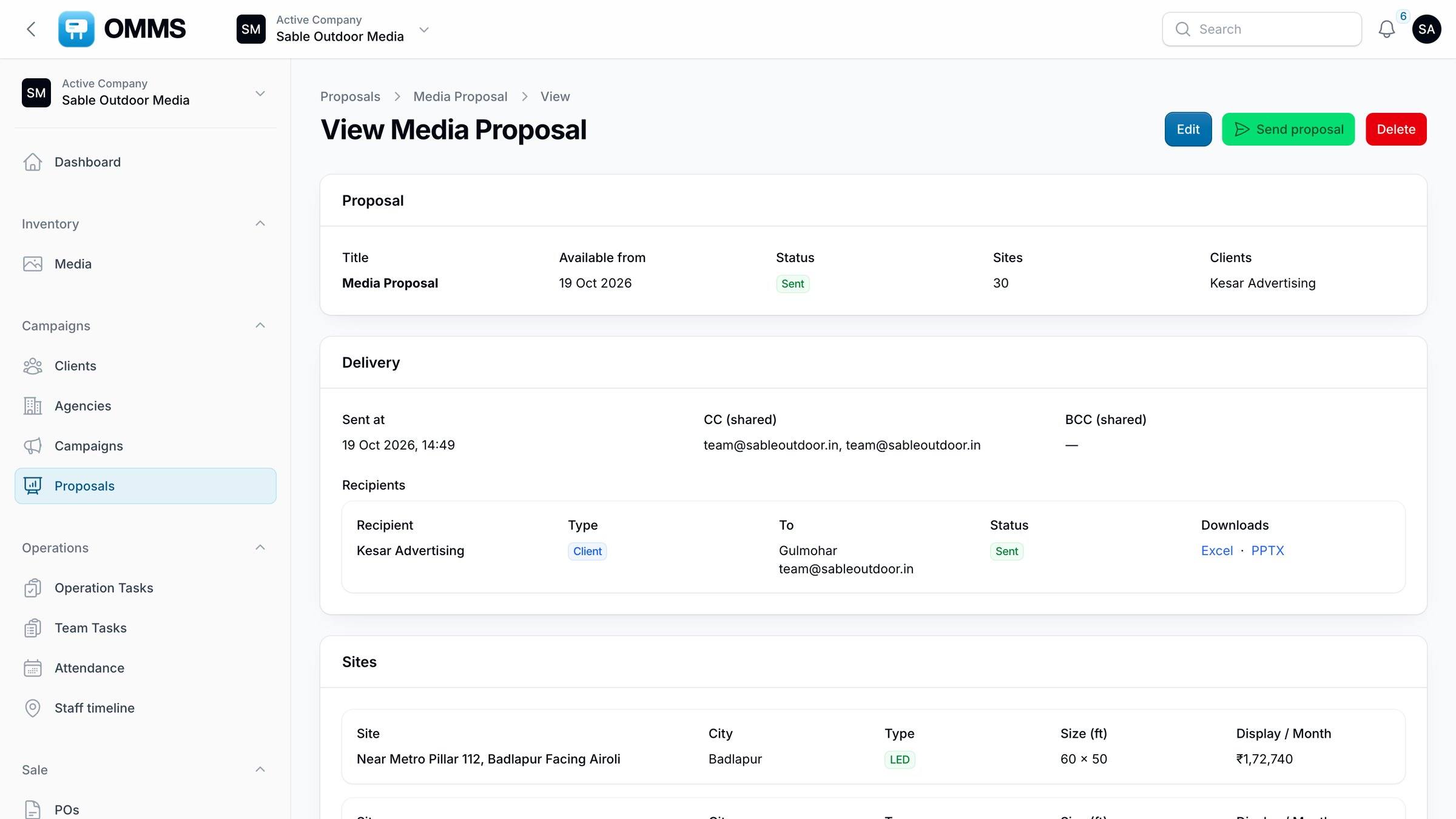
Clients receive Excel and PowerPoint download links, not heavy attachments.
Track
Draft or sent, recipients, number of sites and sent date.
Resend
Send the same proposal to another contact without rebuilding it.
Step by step
How does it work?
- 1
Filter Media for available sites in the area and dates the client wants.
- 2
Select sites and choose Create proposal.
- 3
Add recipients and send.
- 4
When the client confirms, book the sites as a campaign.
More screens
See it in OMMS
FAQ
Questions about proposals
Does the client need an OMMS login to see a proposal?
No. The client opens a secure download link from the email and gets the Excel and PowerPoint files.
Can I see which proposals were sent?
Yes. Each proposal shows its status, recipients, CC and BCC, the number of sites and when it was sent.
Works with
Guides on this topic
See a booking go from free site to payment
A walkthrough on demo data: one site from proposal to collection, the field app, and the reports your accountant will ask for.