Control · Client portal
A client portal for advertisers and agencies
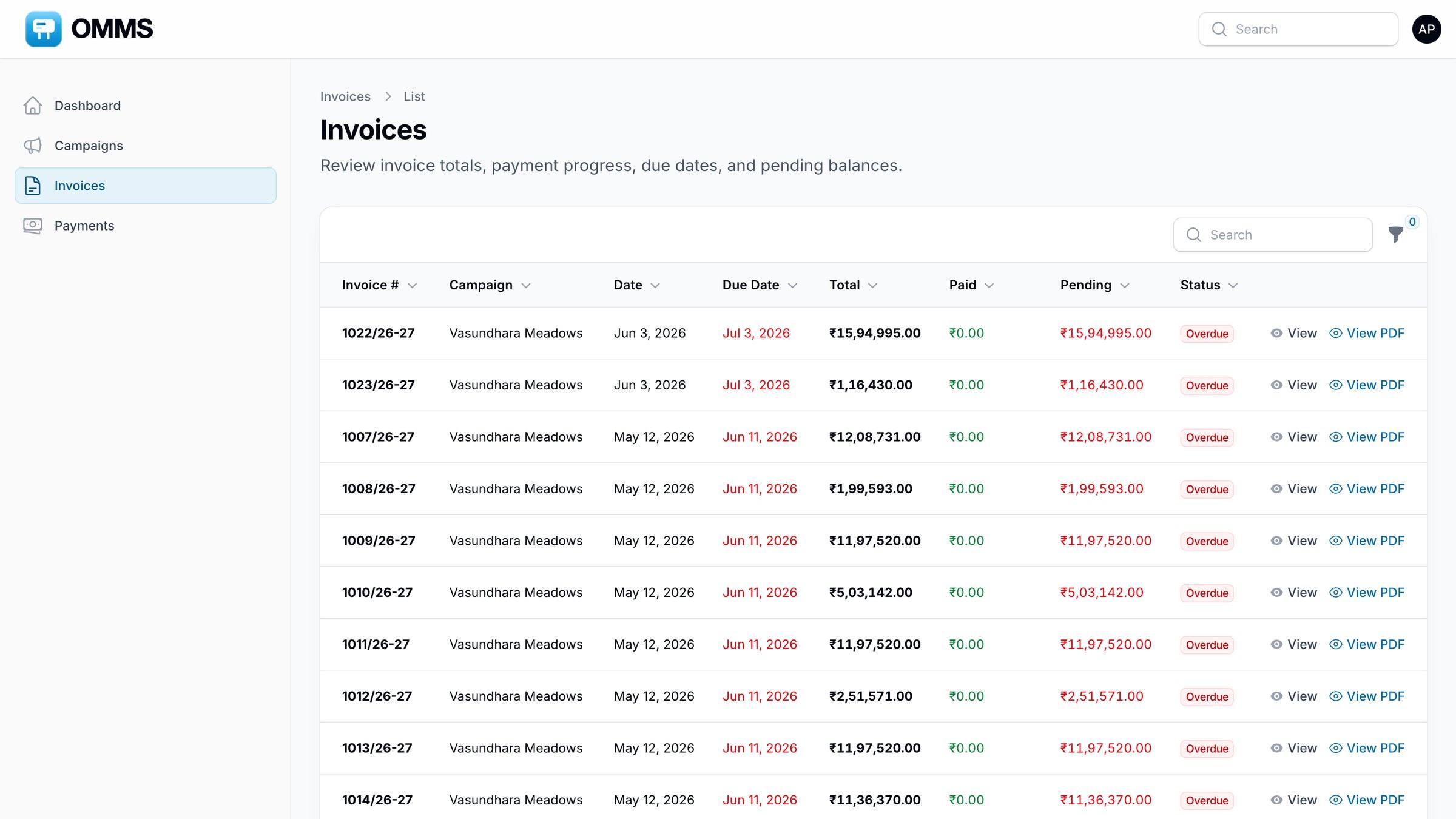
The client portal is a separate login for your clients and agencies. They see only their own campaigns, invoices and payments, with outstanding and overdue amounts on the home page.
Saffron Realty LLP
Client portal · only their data
- Outstanding
- ₹4.2 L
- Overdue
- ₹91.7 K
- Paid
- ₹17.3 L
- 1216/26-27Riverdale Enclave · ₹1,57,648 PDF
- 1209/26-27Kesar Park · ₹91,725 PDF
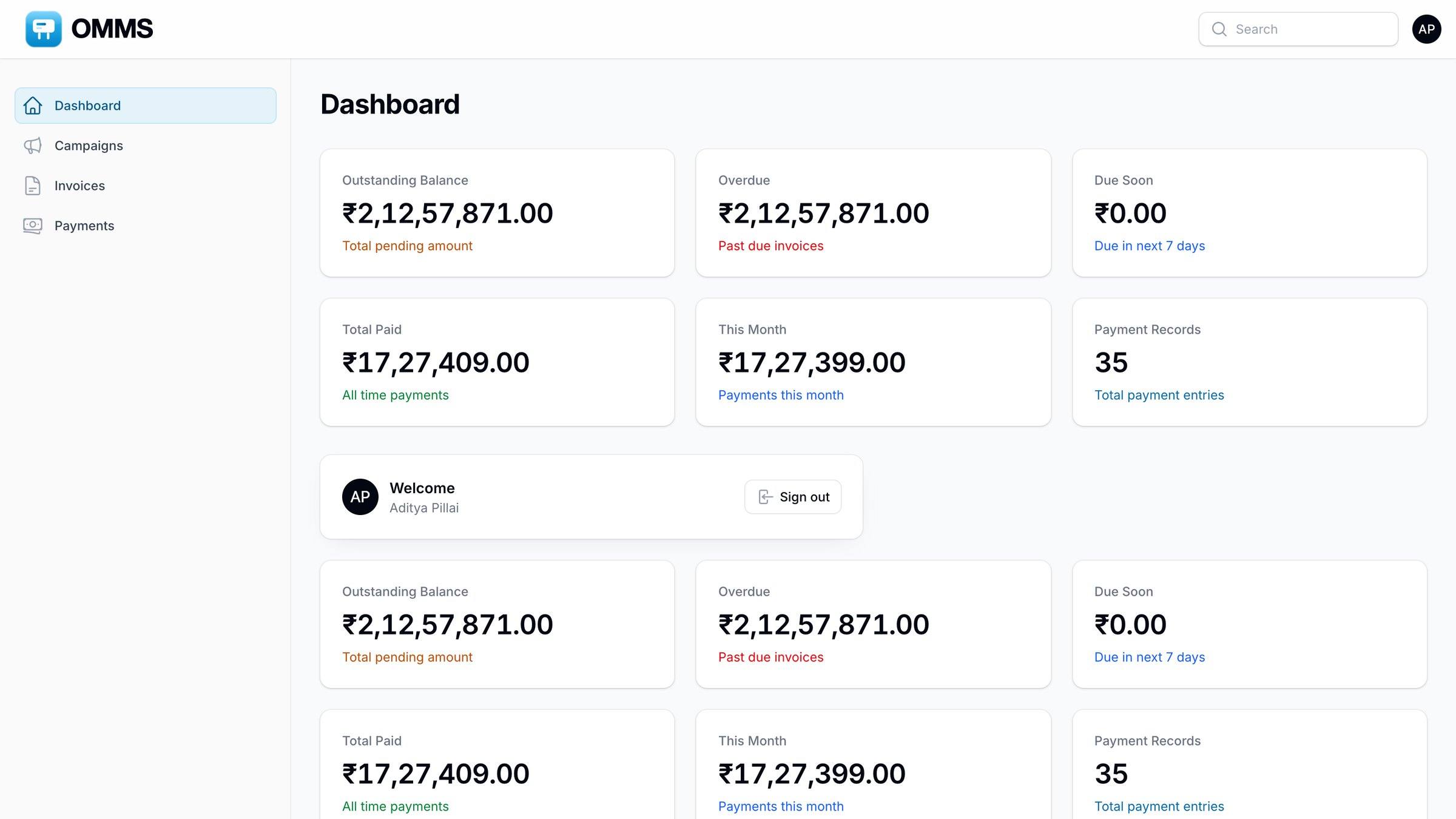
The client’s home page.
Capabilities
What can you do with client portal in OMMS?
Only their own data
Campaigns, invoices and payments for their company.
Dues at a glance
Outstanding, overdue and paid totals on the home page.
Invoice PDFs
Clients download their own invoices.
Step by step
How does it work?
- 1
Create a client user from the client record.
- 2
The client signs in to the portal.
- 3
They check campaigns, dues and invoices without calling you.
More screens
See it in OMMS
FAQ
Questions about client portal
Can a client see other clients’ data in the portal?
No. A portal user sees only the campaigns, invoices and payments that belong to their own company. Your internal notes, costs, vendors and other clients never appear in the portal.
Can agencies use the portal too?
Yes. Agencies get the same kind of login as clients. They see the campaigns booked through them, with invoices, payments and dues, and can download their invoice PDFs whenever they need them.
Works with
Guides on this topic
See a booking go from free site to payment
A walkthrough on demo data: one site from proposal to collection, the field app, and the reports your accountant will ask for.